For iPhone & iPad
Learn Synths
Learn synthesis by playing it.
Every lesson is the same hand-built synthesiser with a few more of its controls revealed. Lesson 1 is four waveforms and a scope. Lesson 49 is a full instrument with sequencing, effects, sampling and MIDI. Nothing is a recording: every sound is synthesised as you touch it, and the waveform on screen is the one going to the speaker.
First three lessons freeOne purchase for the restNo subscriptionNo accountsWorks offline

Coming soon to the App Store
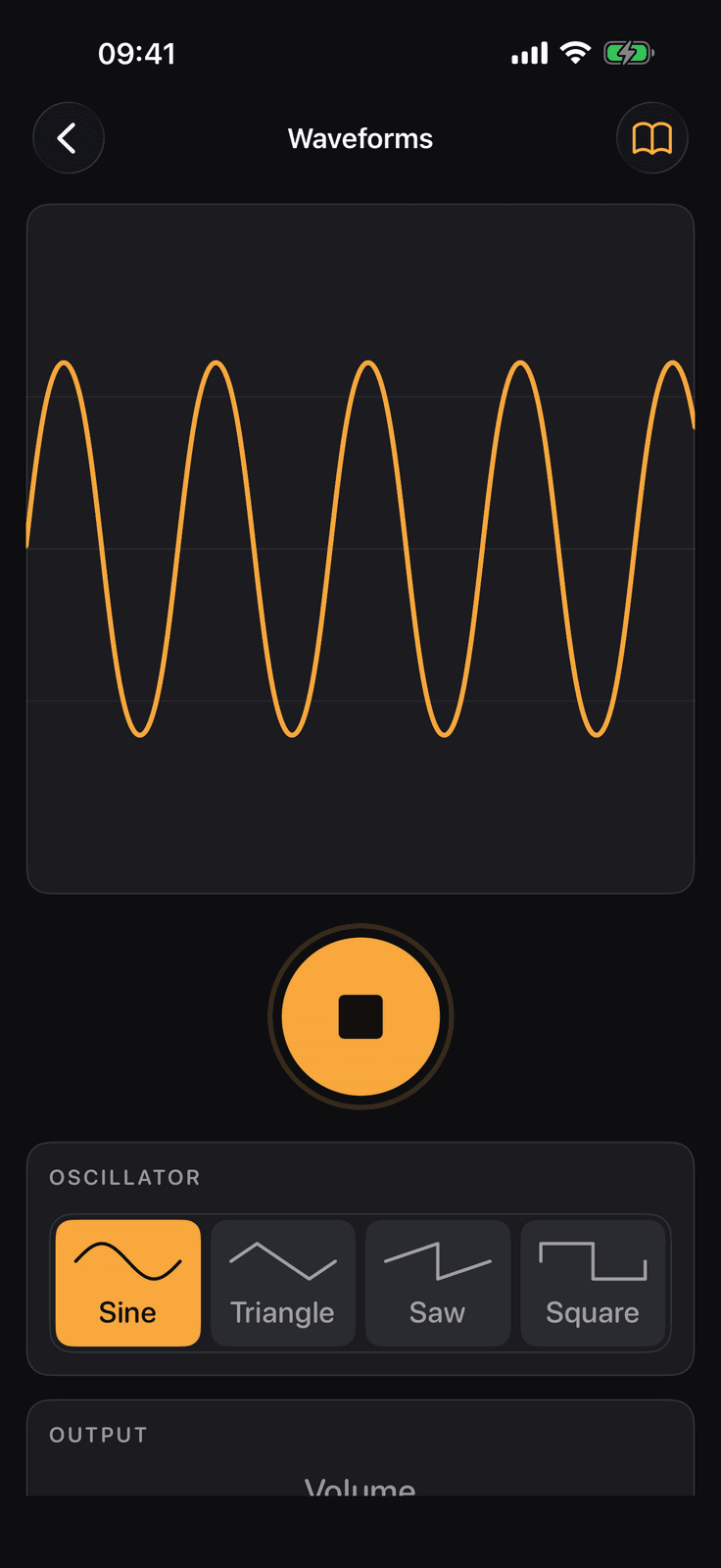
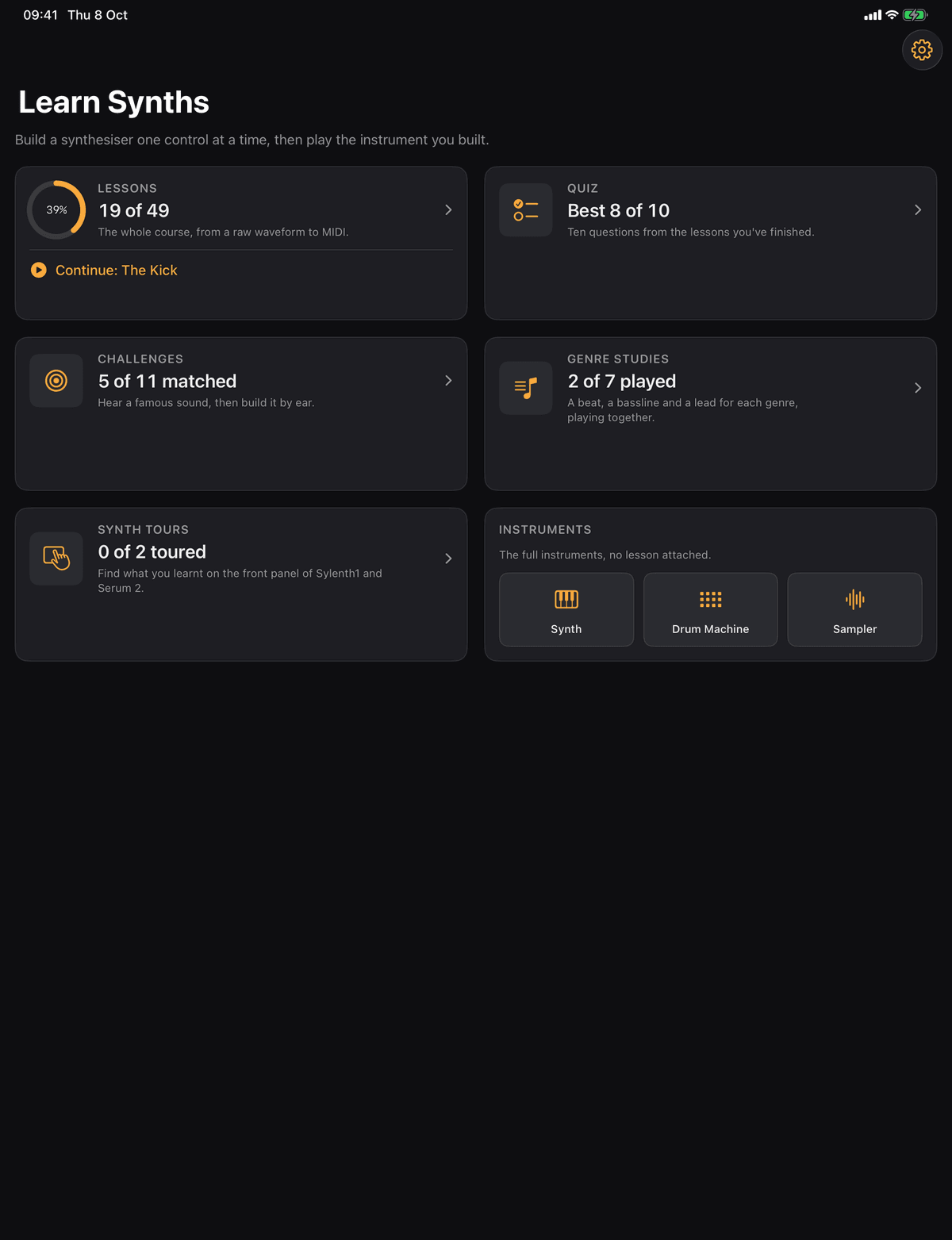
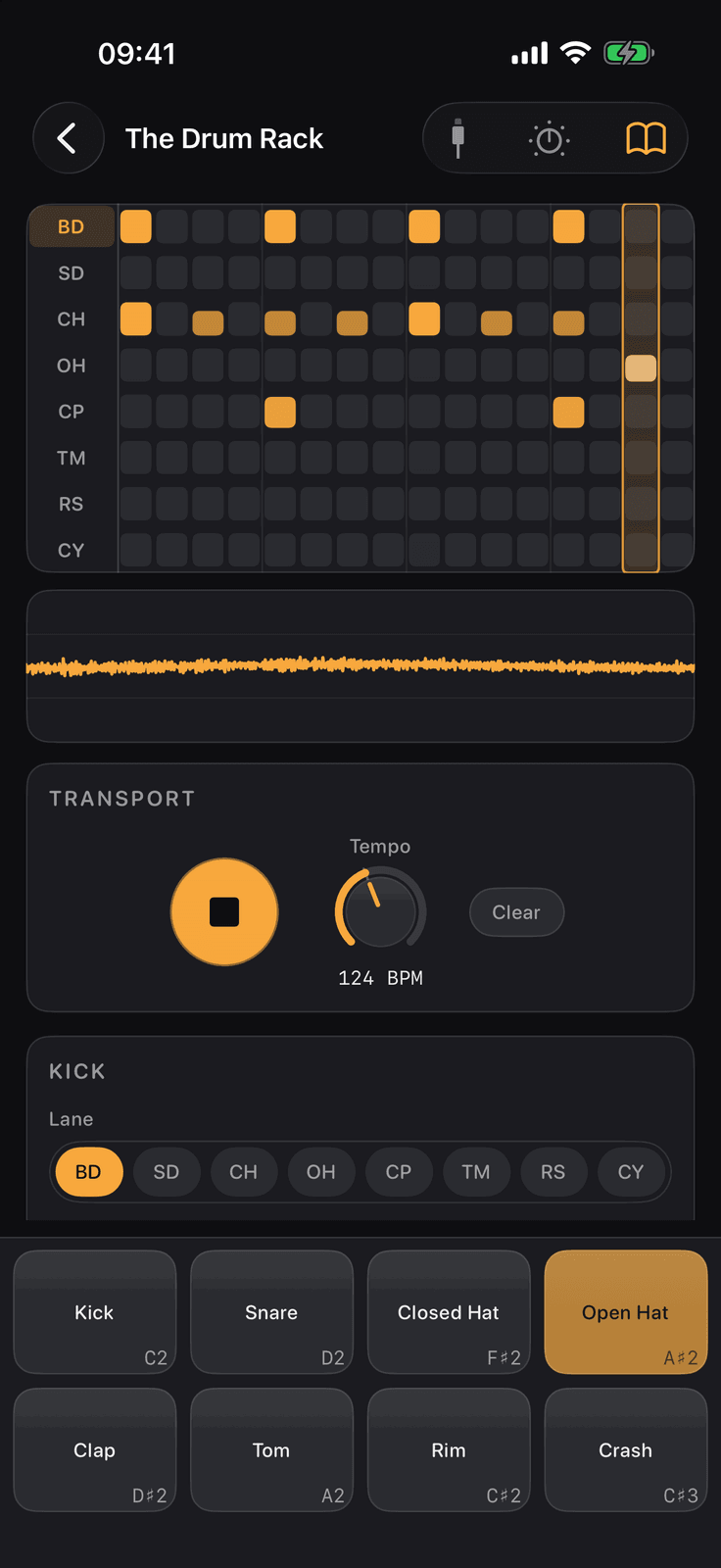
Home on an iPad, with lesson 1 and the drum rack lesson on the phone either side. A dark interface with one amber accent; light mode follows the device.
49
lessons in 9 tracks, on one synth
255
quiz questions, three at the end of every lesson
7
genre studies, house to dubstep
3
AUv3 plug-ins for GarageBand, Logic Pro and AUM
You have a DAW full of synths
Presets you tweak without knowing why they work. The course puts the same controls on one instrument and explains each one as it appears, and the tours of Sylenth1 and Serum 2 point every section at the lesson that taught it.
You are starting from nothing
Lesson 1 is four waveforms and a scope, and nothing more. Every screen shows only the controls it teaches, a short quiz checks you have it, and the next lesson opens. No theory you cannot hear.
You want the instrument too
The synth you build is the synth you keep: a full instrument, a drum machine and a sampler on their own, and the same three as AUv3 plug-ins in GarageBand, Logic Pro, AUM and other hosts.
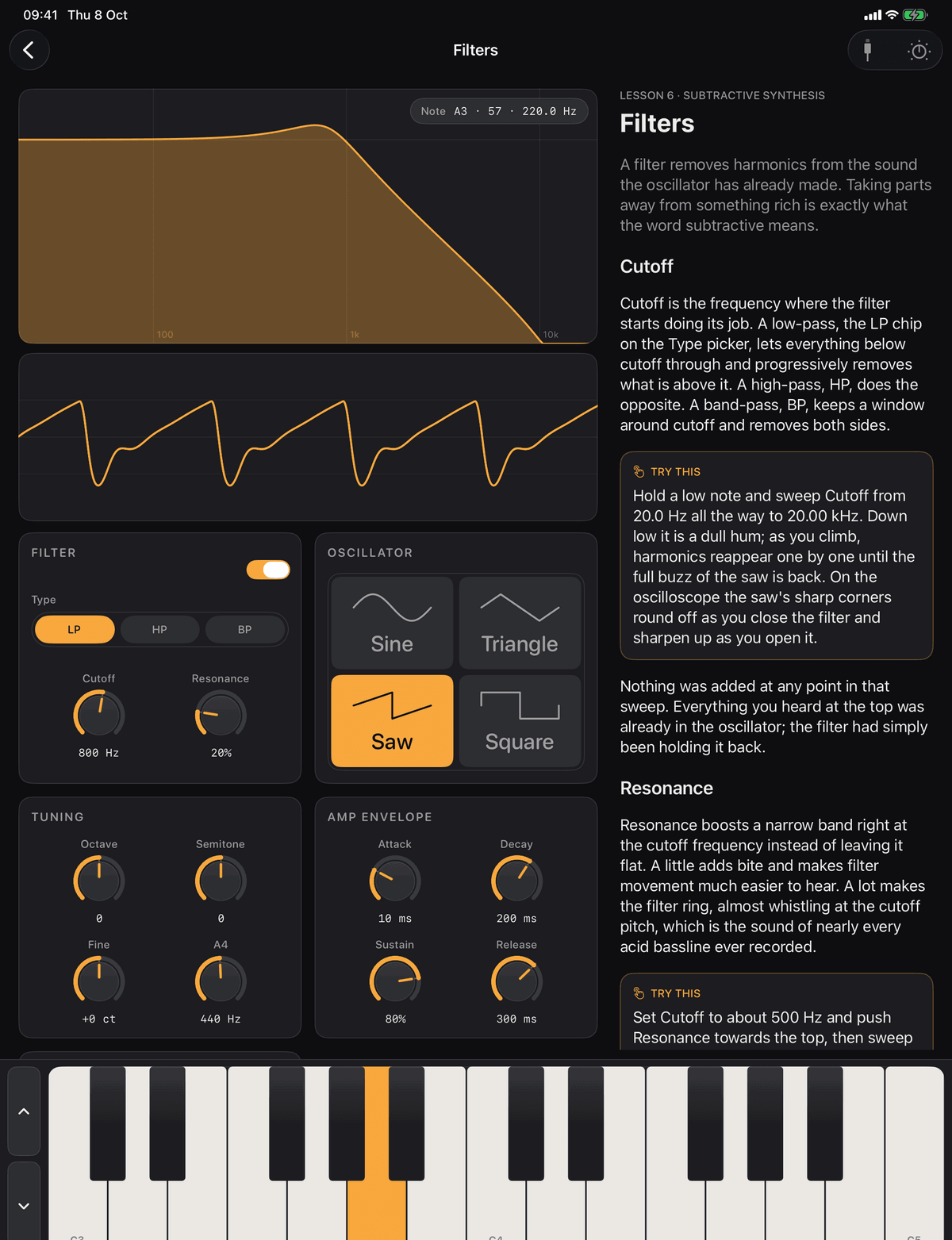
One synth, revealed slowly
Every screen shows only the controls it teaches
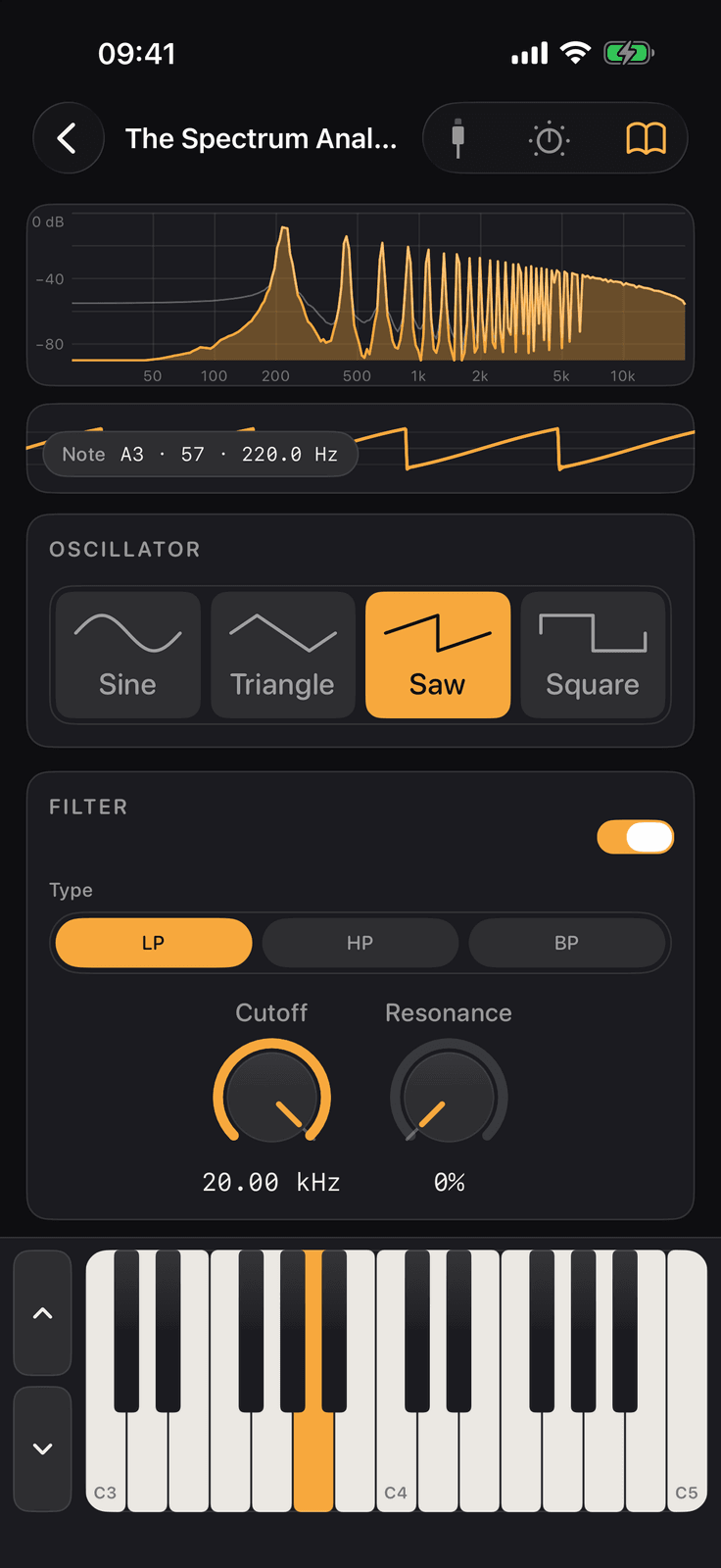
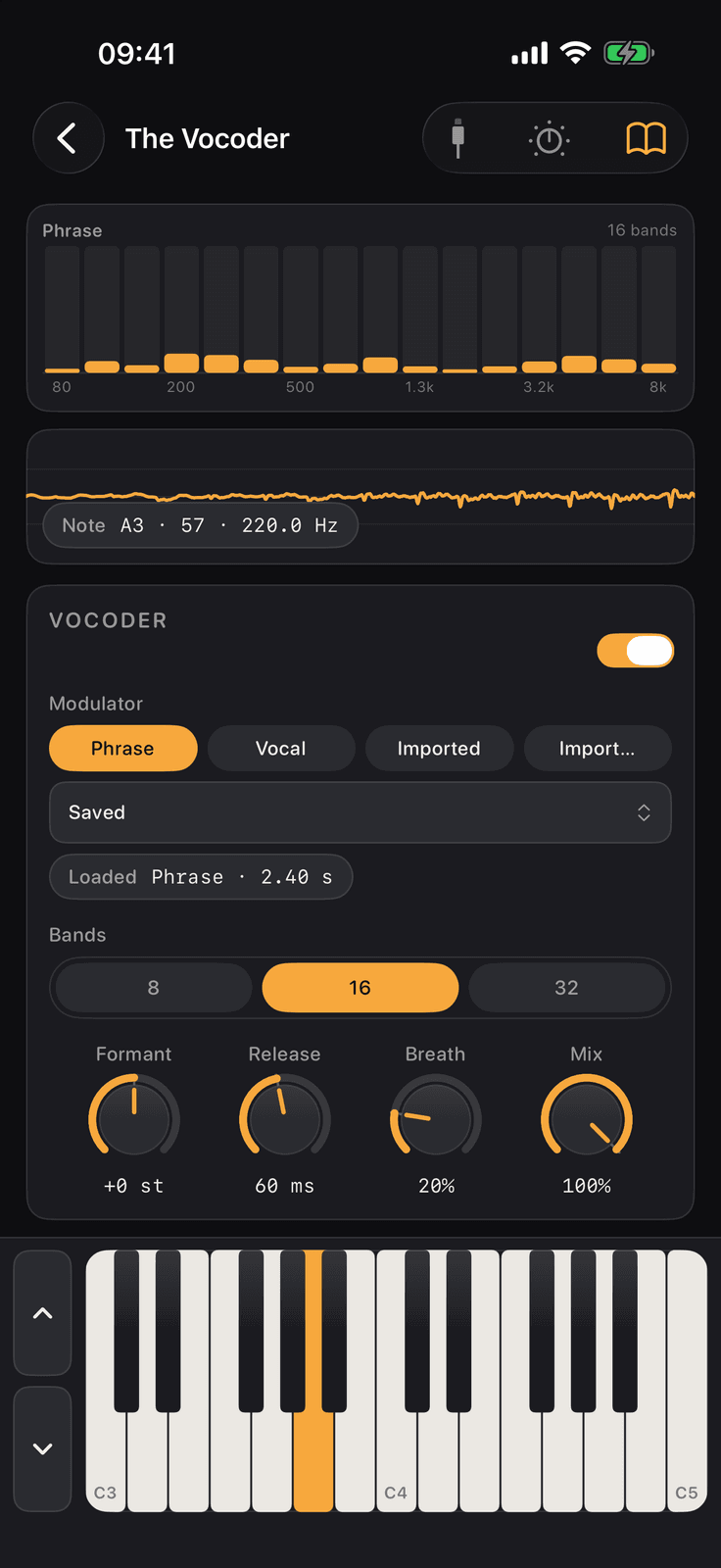
Each lesson screen has a hero (a scope, an envelope graph, a spectrum, a drum rack, a piano roll), the controls that lesson adds, and a keyboard where one is needed. The lesson text opens in a sheet, and the sheet ends in the quiz.
- Hear it, see it, turn it. Every sound is synthesised live, and the wave on screen is the one going to the speaker
- One idea per lesson, from waveforms to the vocoder. Values are written the way the knobs show them: 800 ms, 60%, +2 st
- A linear path. A lesson opens once every lesson before it has been passed, and a locked card says how many lessons to go
- What you build in lesson 6 is the same instrument you play in lesson 49, and in the plug-in
The course
49 lessons in 9 tracks
Subtractive synthesis, sequencing, drums, FM, wavetable, additive, effects and mixing, sampling and MIDI, in the order the course opens them. The first three are free.
Start from a raw waveform and shape it with envelopes, filters and modulation.
- 1
Waveforms
Subtractive synthesisFree
- 2
Pitch and Frequency
Subtractive synthesisFree
- 3
MIDI and the Keyboard
Subtractive synthesisFree
- 4
Tuning
Subtractive synthesis
- 5
Amplitude Envelope
Subtractive synthesis
- 6
Filters
Subtractive synthesis
- 7
Filter Envelope
Subtractive synthesis
- 8
Pitch Envelope and Pitch Wheel
Subtractive synthesis
- 9
LFO and Modulation
Subtractive synthesis
- 10
Polyphony and Unison
Subtractive synthesis
- 11
Sub Oscillator and Noise
Subtractive synthesis
- 12
Two Oscillators
Subtractive synthesis
- 13
How a Synth is Wired
Subtractive synthesis
- 14
The Complete Subtractive Synth
Subtractive synthesis
- 15
Steps and Tempo
Sequencing
- 16
The Piano Roll
Sequencing
- 17
Velocity and Gate
Sequencing
- 18
Arpeggiator
Sequencing
- 19
Automation
Sequencing
- 20
The Kick
Drums
- 21
Snare and Hats
Drums
- 22
The Drum Rack
Drums
- 23
Beats and Grooves
Drums
- 24
FM Basics
FM synthesis
- 25
FM Envelopes
FM synthesis
- 26
Wavetables
Wavetable synthesis
- 27
Moving Through the Table
Wavetable synthesis
- 28
Choosing a Table
Wavetable synthesis
- 29
Additive Synthesis
Additive synthesis
- 30
The Spectrum Analyser
Effects and mixing
- 31
Levels, Gain and Panning
Effects and mixing
- 32
EQ
Effects and mixing
- 33
Distortion
Effects and mixing
- 34
Compression
Effects and mixing
- 35
Sidechain
Effects and mixing
- 36
Limiting and Loudness
Effects and mixing
- 37
Chorus
Effects and mixing
- 38
Flanger
Effects and mixing
- 39
Phaser
Effects and mixing
- 40
Delay
Effects and mixing
- 41
Reverb
Effects and mixing
- 42
Digital Audio
Sampling
- 43
The Sampler
Sampling
- 44
Loops and Pitch
Sampling
- 45
Granular
Sampling
- 46
The Vocoder
Sampling
- 47
MIDI Messages
MIDI
- 48
Connecting a Controller
MIDI
- 49
Velocity and Expression
MIDI
14 of 49 lessons. Pick a track above, or see the whole course.
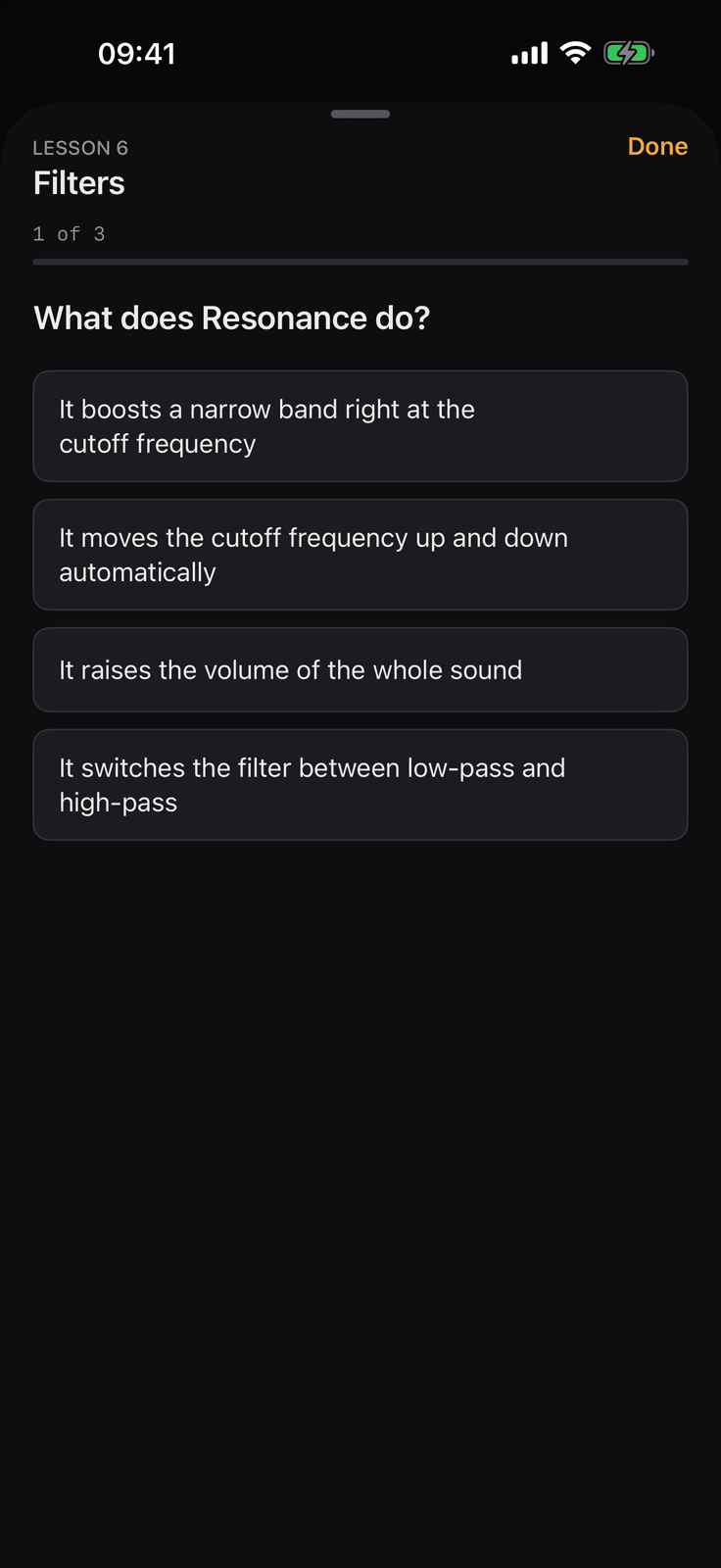
A quiz finishes every lesson
Three questions, full marks to pass
Every lesson, and every tour, ends with a short quiz inside the lesson sheet: three questions drawn at random from that lesson’s bank of four to six. A pass marks the lesson complete and offers the next one. A fail lists the missed questions and sends you back to the text.
There are 255 questions in all. The separate Quiz section on Home asks ten drawn from the lessons you have already finished, and keeps your best score.
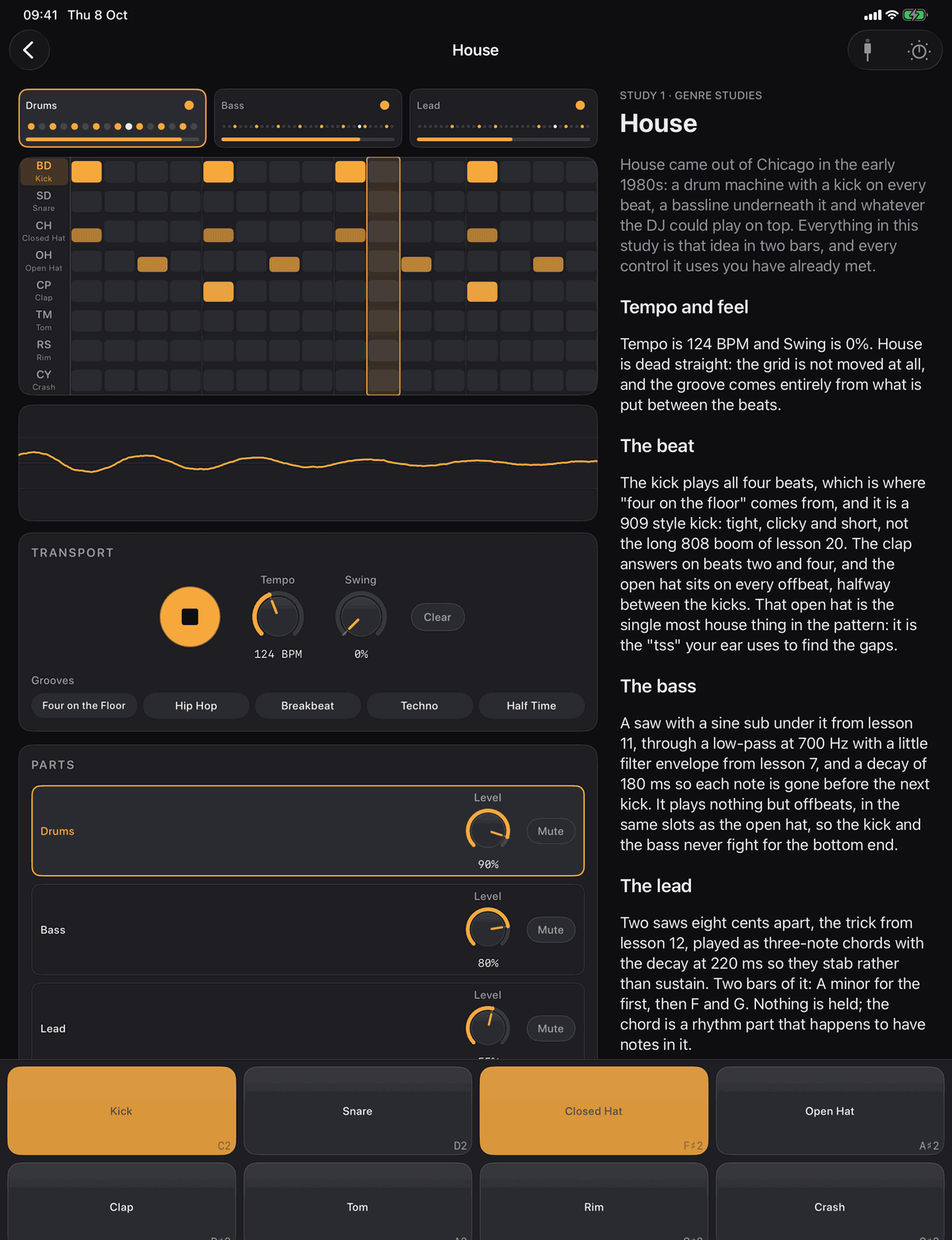
Seven genre studies
House to dubstep, every knob open
Each study is an arrangement of a drum kit and pattern, a bass patch and pattern, and a lead patch and pattern on one clock, with every control open so you can pull the genre apart and see what makes it. Open to anyone who has bought the course, no progress needed.
HouseTechnoDrum and BassTranceHip HopUK GarageDubstep
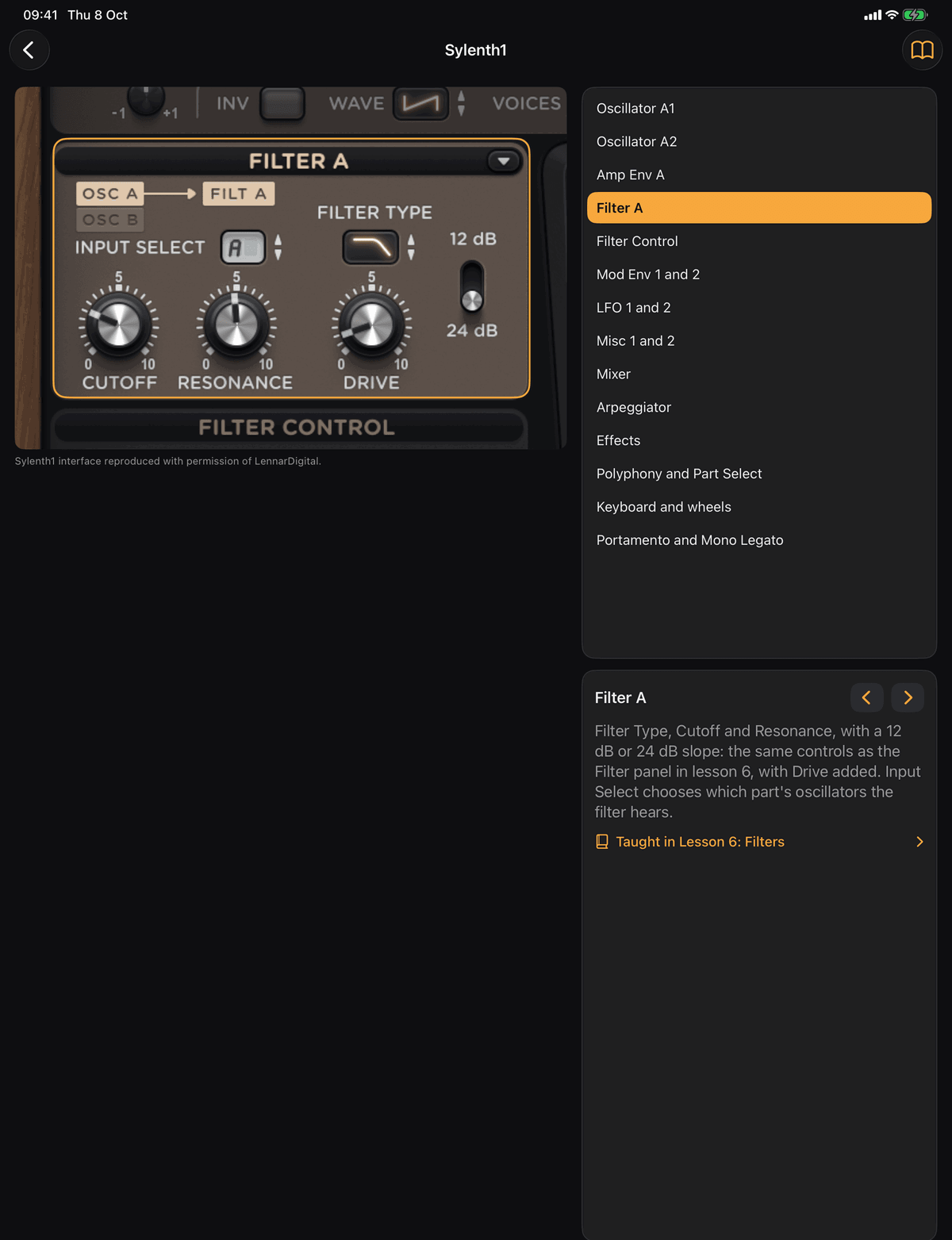
Tours of real synths
Sylenth1 and Serum 2, section by section
Annotated, zoomable pictures of the front panels of two synths people actually use. Tap a section to zoom to it, read what it does in the synth’s own words, and jump to the lesson in the course that taught it: fourteen sections on Sylenth1, fifteen on Serum 2. Each tour ends with its own quiz.
Sylenth1 is a product of LennarDigital. Serum 2 is a product of Xfer Records. Images used with permission.
Eleven challenges
Hear a classic sound, then build it by ear
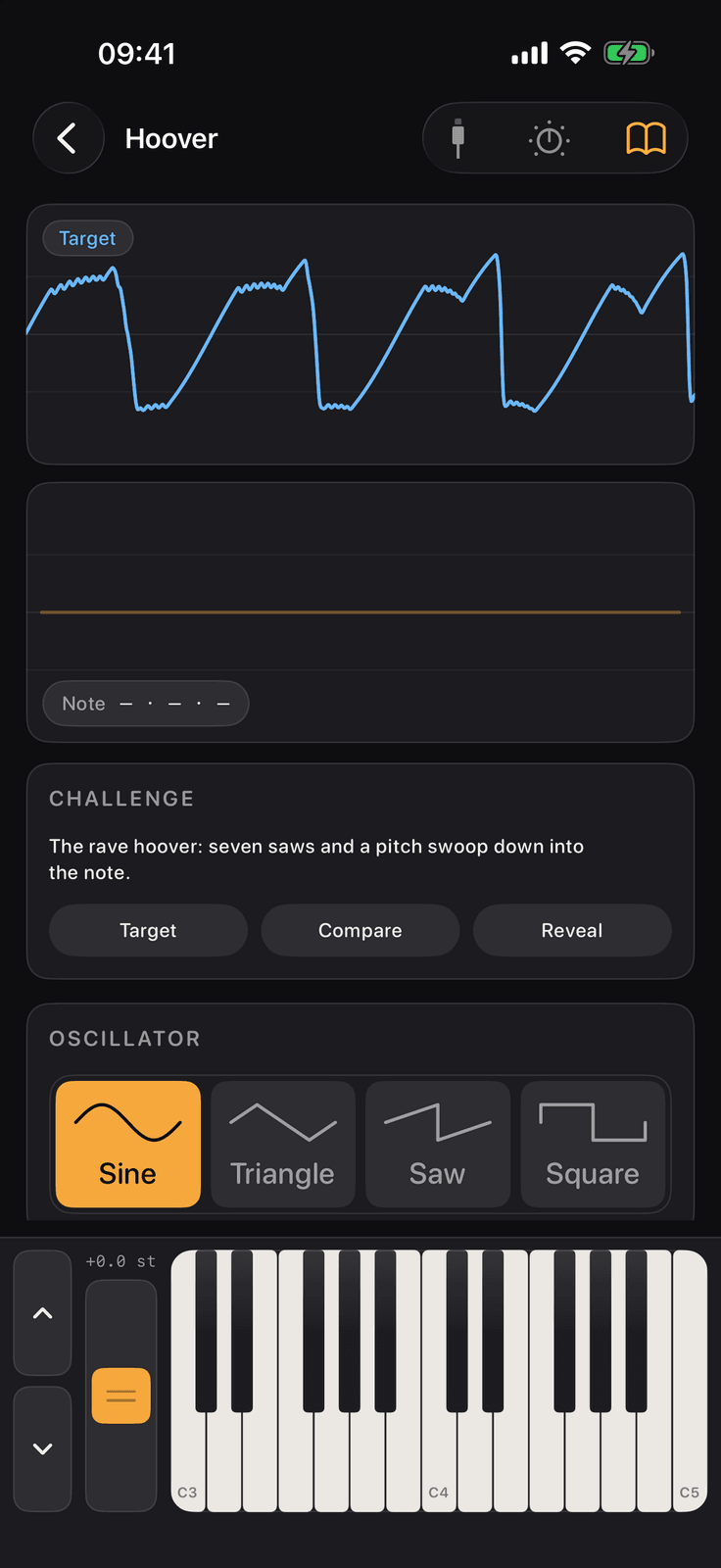
Recreate this sound. Hear the target, build it on the synth, and the app scores your patch against the target by ear and by number. A challenge opens once the lessons it draws on are complete, so each one is a test of what you have just learnt.
80s Brass StabAcid BassPluckWarm PadOrganFM BellElectric PianoSnareWindHooverSupersaw
Three instruments, three plug-ins
The synth you built, on its own and in your DAW
The full synth, the drum machine and the sampler with no lesson attached, and the same three as Audio Unit v3 plug-ins for GarageBand, Logic Pro, AUM, NanoStudio, Cubasis and any other AUv3 host.
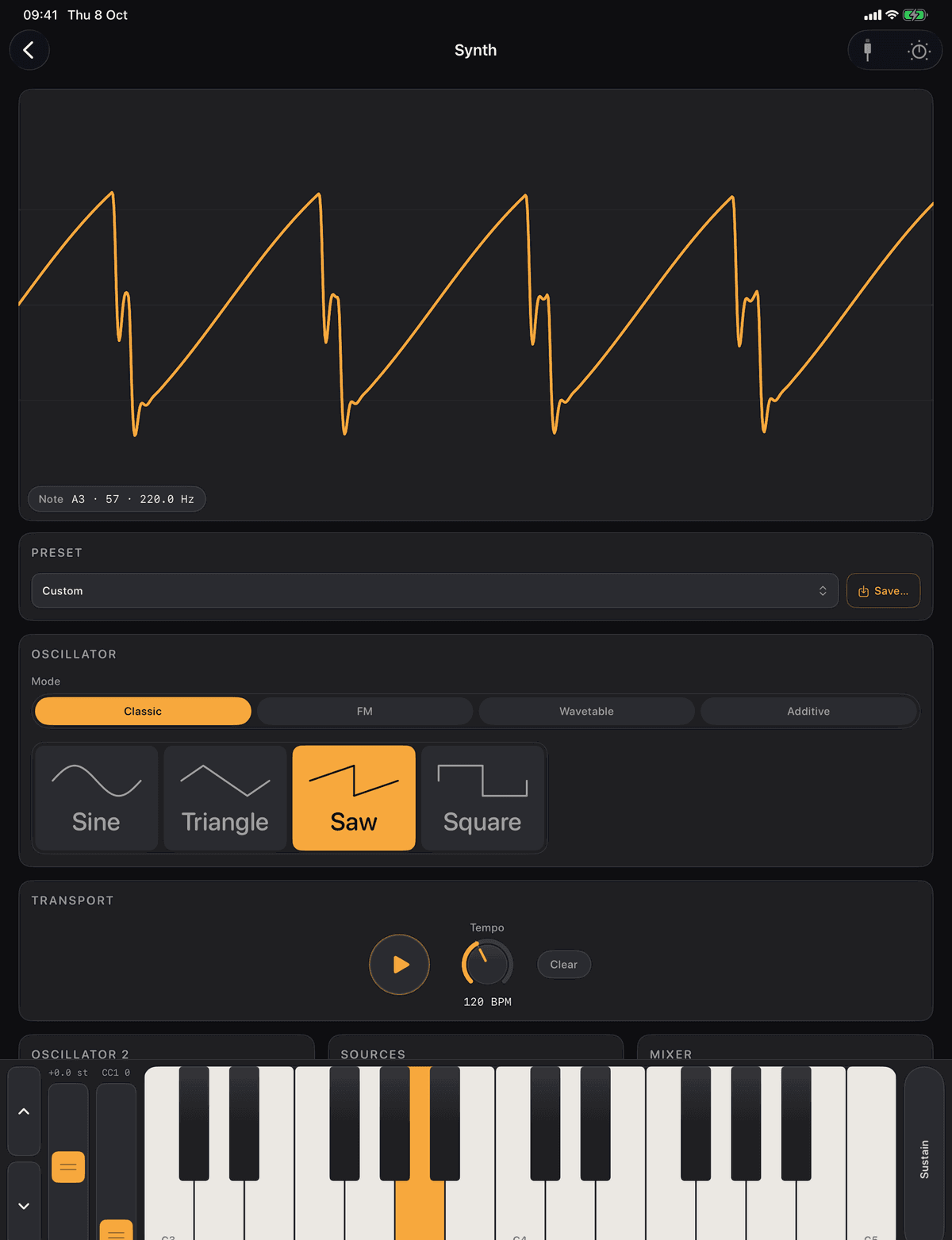
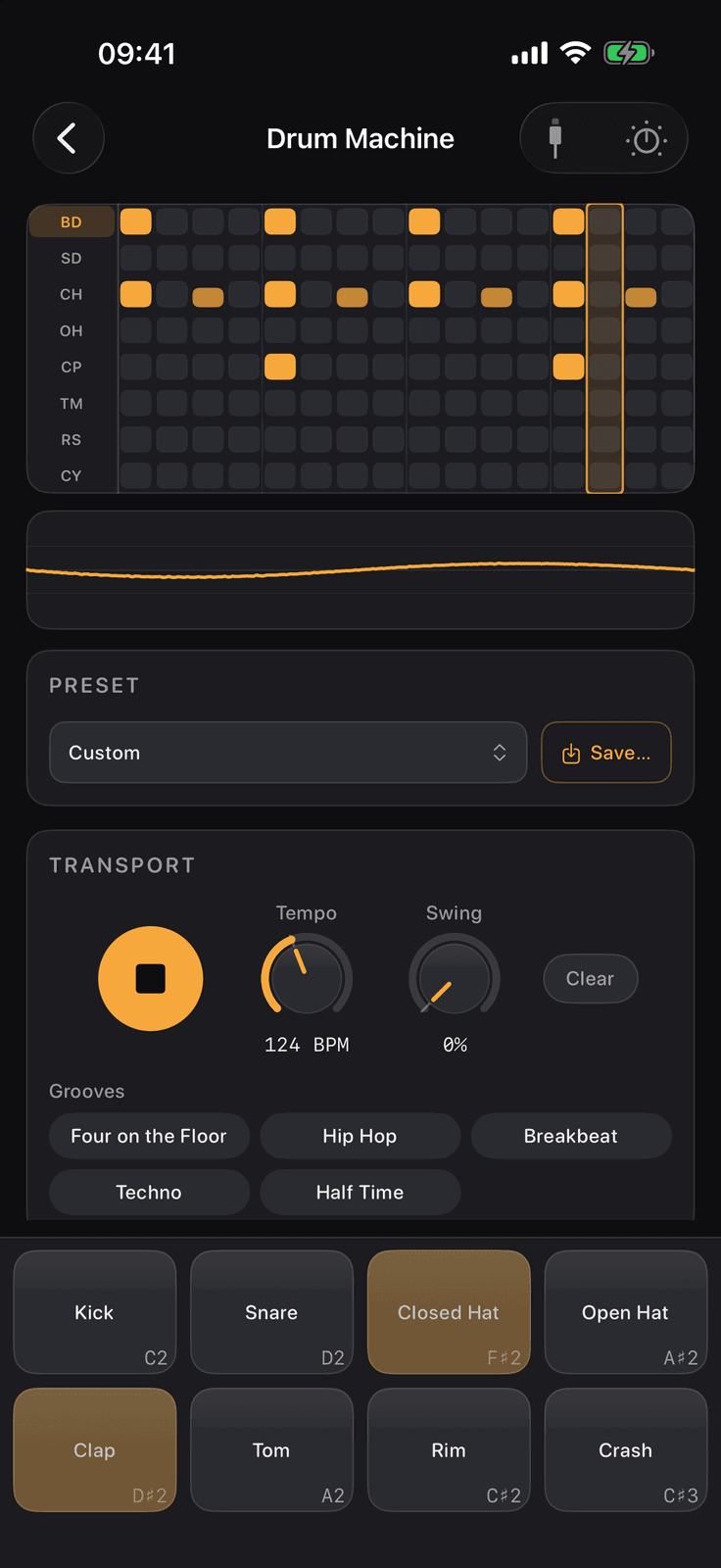
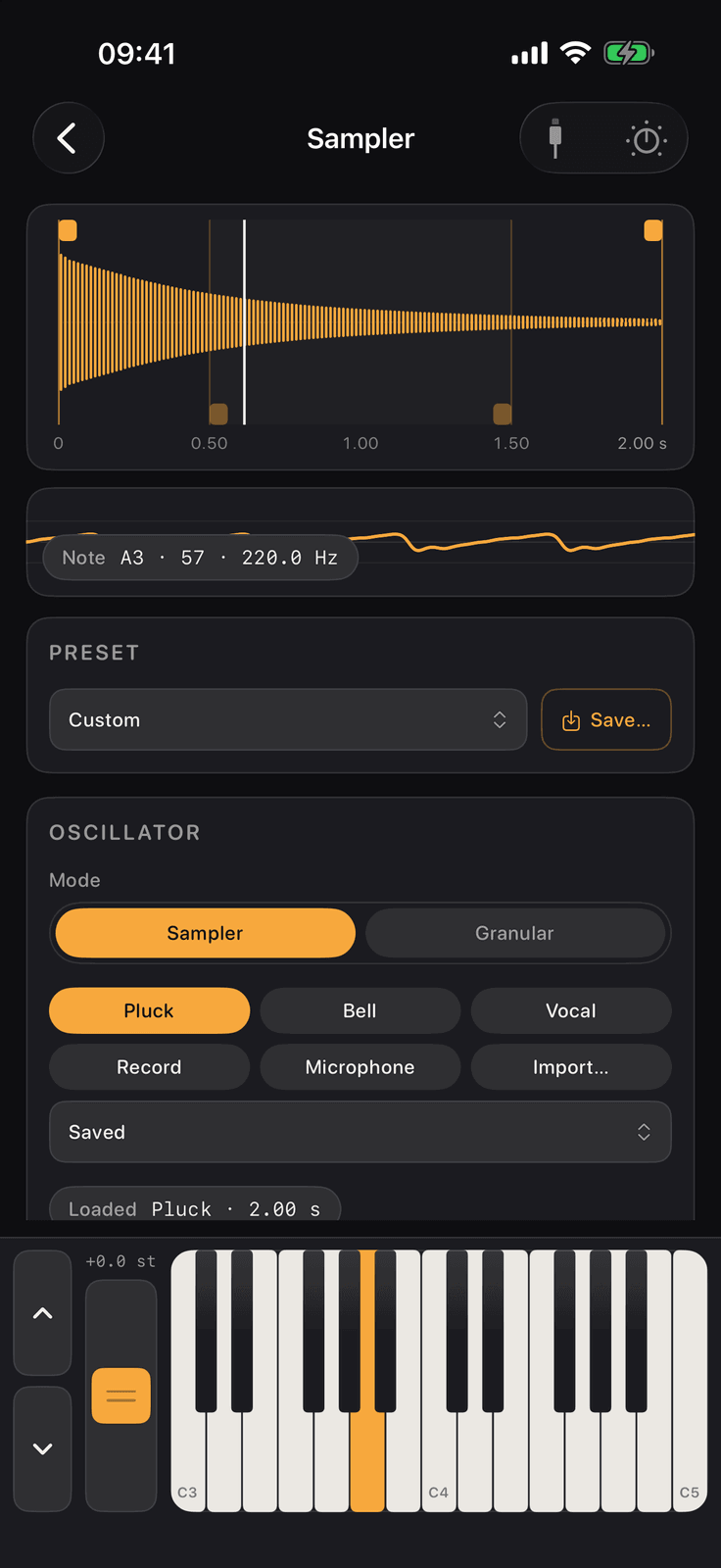
- Factory presets and your own, synced through iCloud, with the sequencer, effects and MIDI in on every instrument
- The sampler records the app’s own output or the microphone, imports a file, and loops, pitches and granulates it
- The drum machine plug-in follows the host’s transport and tempo, and the plug-ins see the presets and recorded sounds saved in the app
- On an Apple silicon Mac the app runs as a Designed for iPad app, and the plug-ins load in Logic Pro
- Unlocked by the same single purchase. Without it the plug-ins load, say so, and stay silent
Effects, sampling and MIDI
The later tracks go a long way
Compression, sidechain, limiting, chorus, flanger, phaser, delay and reverb. Digital audio, a sampler, granular synthesis and a vocoder. Then MIDI, from the messages themselves to a controller in your hands.
MIDI in
Any CoreMIDI controller: USB, Bluetooth MIDI with pairing from Settings, and MIDI over Wi-Fi, so a Mac or a DAW on the same network can play the app. A MIDI monitor shows every message arriving, with a filter per message kind. Velocity, mod wheel, sustain pedal and aftertouch are mapped and taught in lesson 49.
Yours everywhere
Lesson progress, quiz scores and saved presets sync between your devices through iCloud with no account to make. Recorded and imported sounds can sync too, from a switch in Settings that is off by default. Everything works offline.
Why it is different
Nothing is a mock-up of a synth. It is the synth.
Written from scratch
The synth is the app’s own Swift code: oscillators, envelopes, filters, LFOs, FM, wavetable, additive and granular engines and every effect. No audio library, no samples, no audio files in the app.
The scope is the speaker
The waveform on screen is drawn from the buffer that is going to the speaker. When you turn a knob, you are watching the sound change, not an illustration of it.
One instrument throughout
What you do in lesson 6 is exactly what you do in lesson 49 and in the plug-in. Nothing is a mock-up of a synth; it is the synth.
Checked against itself
Every lesson quotes values the way the knobs show them, and every quiz question is checked against its lesson’s text.
Straight answers
Before you download
Is it free?
The download and the first three lessons are free. One purchase unlocks everything else, forever, on all your devices.
Is there a subscription?
No. One non-consumable purchase, no tiers, nothing else to buy, and every lesson added in future is included.
Do I need a MIDI keyboard?
No. Every lesson has an on-screen keyboard or sequencer. A controller is optional and taught in the MIDI track.
Does it work on iPad?
Yes, with panels laid out for the larger screen. iPhone is portrait only. It also runs as a Designed for iPad app on Apple silicon Macs, where the plug-ins load in Logic Pro.
Can I use the synth in my DAW?
Yes. The purchase includes three AUv3 plug-ins for any AUv3 host on iPhone, iPad and Apple silicon Macs.
Does it work offline?
Yes, entirely. Progress, presets and (if you like) sounds sync through iCloud when you are connected, with no account to make.
Free and Full Course
Free to download. One purchase for the rest.
The first three lessons are free. One purchase unlocks everything else, forever, on all your devices.
Free
The first three lessons
- Waveforms, Pitch and Frequency, and MIDI and the Keyboard, in full, with their quizzes
- The Quiz section, drawing on those three lessons
- Settings and About
Full Course
One purchase
- Lessons 4 to 49, and every lesson added in future
- The seven genre studies and the two synth tours
- The eleven challenges, which then open as your progress does
- The three instruments and the three AUv3 plug-ins
- A single purchase on your Apple Account, not a subscription. Restores on your other devices and after reinstalling
Private by architecture
No accounts, no server, no tracking
The App Store privacy label says Data Not Collected, and this page says the same thing.
Nothing is collected
No account, no sign-in, no analytics, no advertising, no crash reporting and no third-party code of any kind. The only network requests the app makes are to Apple, for the purchase and for your own iCloud.
The microphone, only when you record
Used solely when you record a sound in the sampler. What you record stays on the device and is never sent to us.
Bluetooth and local network, only for MIDI
Bluetooth pairs wireless MIDI keyboards. The local network is searched only for computers offering MIDI over Wi-Fi, so a DAW can play the app.
iCloud is yours
Progress, quiz scores and presets sync through your own Apple Account. Recorded sounds sync only if you switch that on. We cannot see any of it.
The details, in full: Learn Synths Privacy Policy
Build a synthesiser one control at a time,
then play the instrument you built.
Requires iOS 18 or later. iPhone and iPad. No accounts, no advertising, no subscription. Built by PDS Technology in the UK.
Coming soon to the App Store
Questions? Get in touch·support@pds-technology.ltd