For iPhone & iPad
Maxy MIDI
Build your own MIDI controller.
Maxy MIDI turns an iPhone or iPad into a MIDI controller you design yourself. Drop knobs, faders, pads, keyboards, launch grids, mixer strips and DJ controls onto a page, set what each one sends, and play. Boards reach a DAW or a synthesiser over Wi-Fi, Bluetooth or USB, and there are sixty six layouts to start from.
Free with a one-time Pro purchaseWi-Fi, Bluetooth and USBNo accountsNothing collected

Coming soon to the App Store
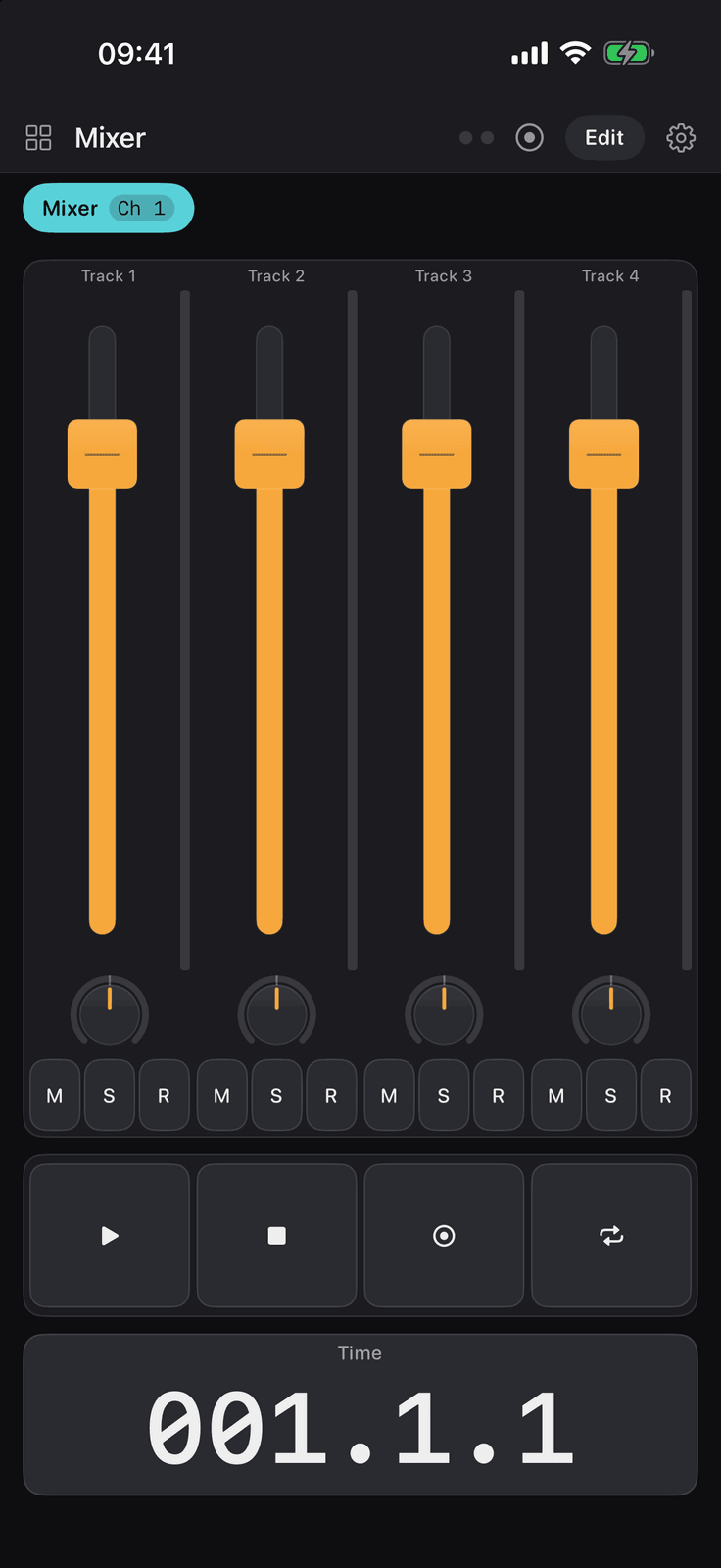
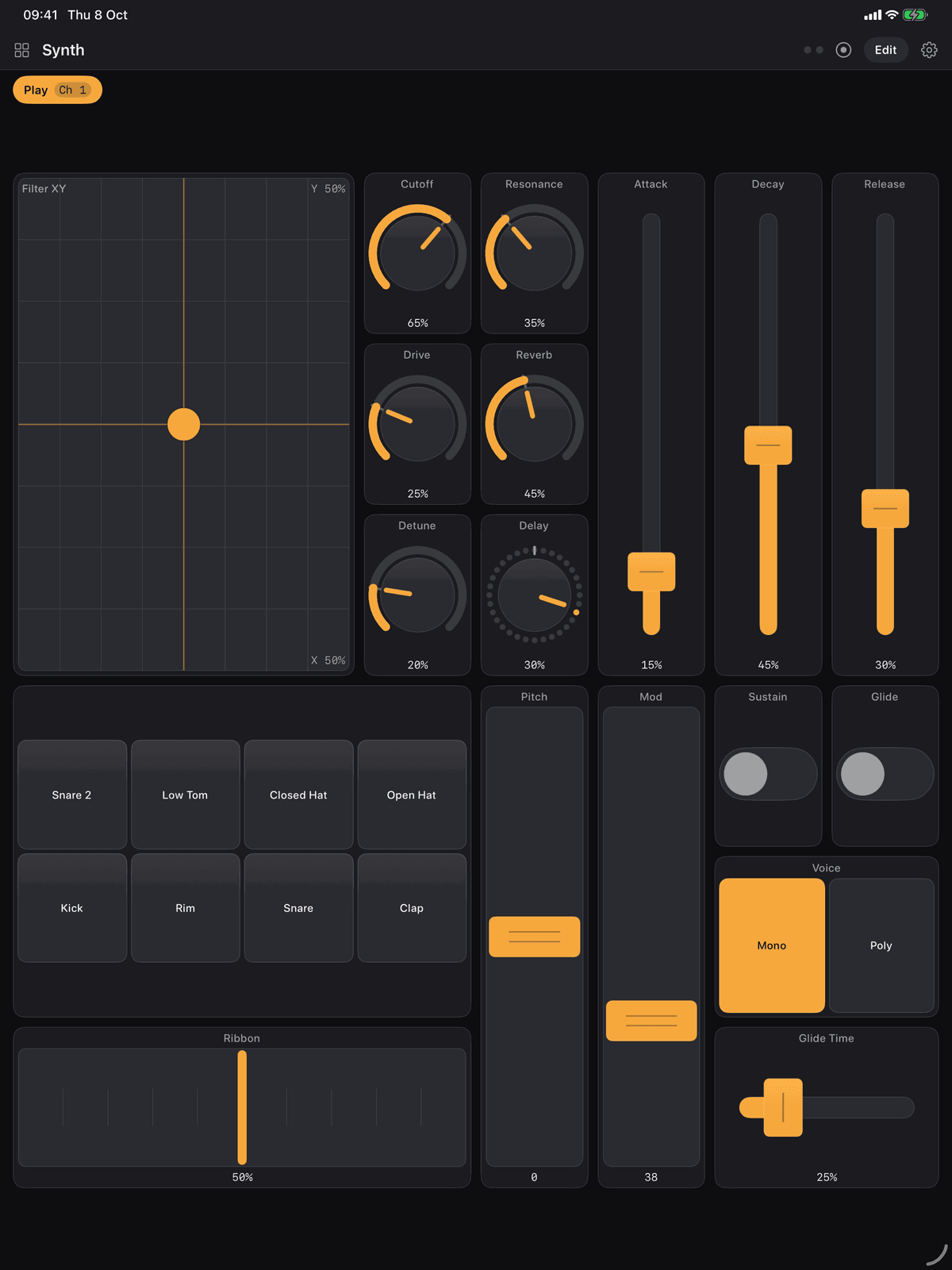
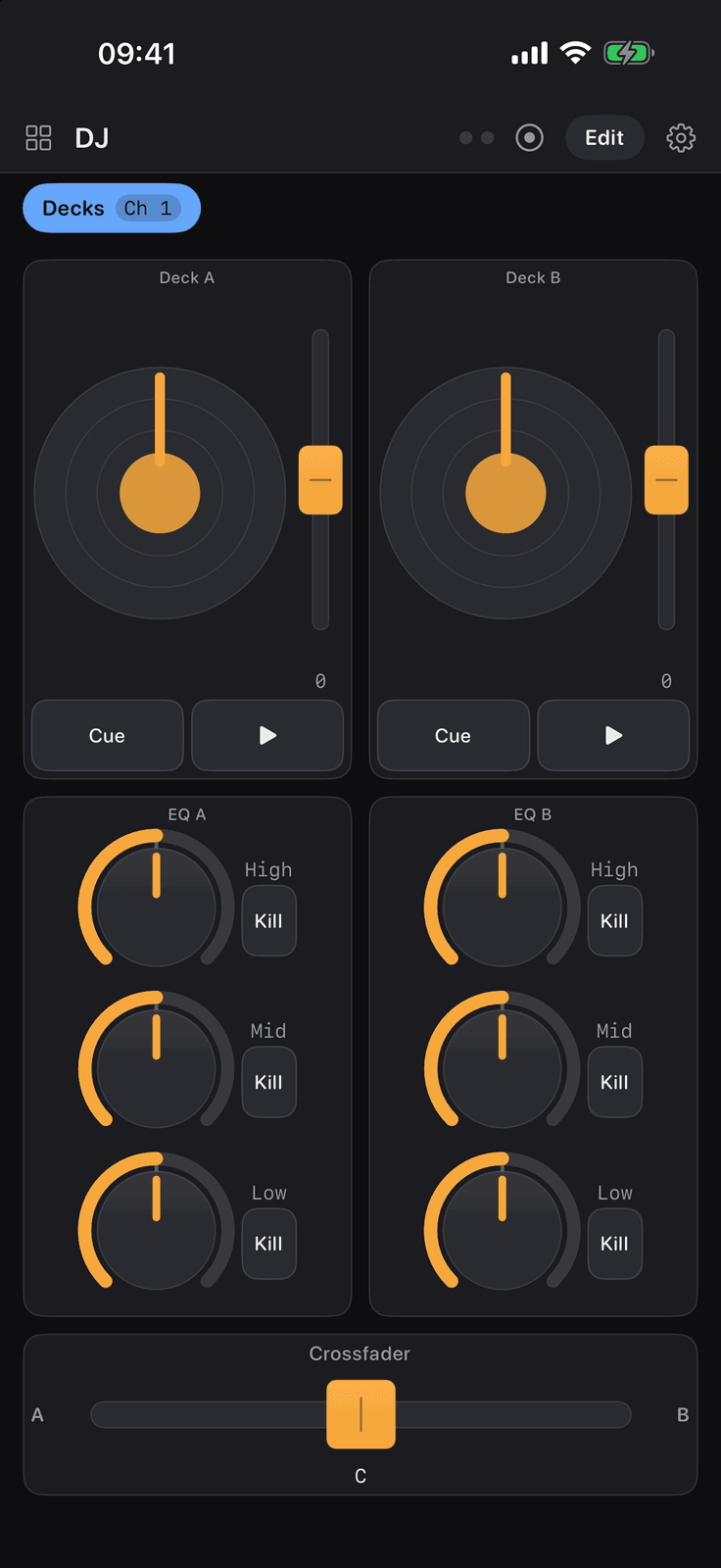
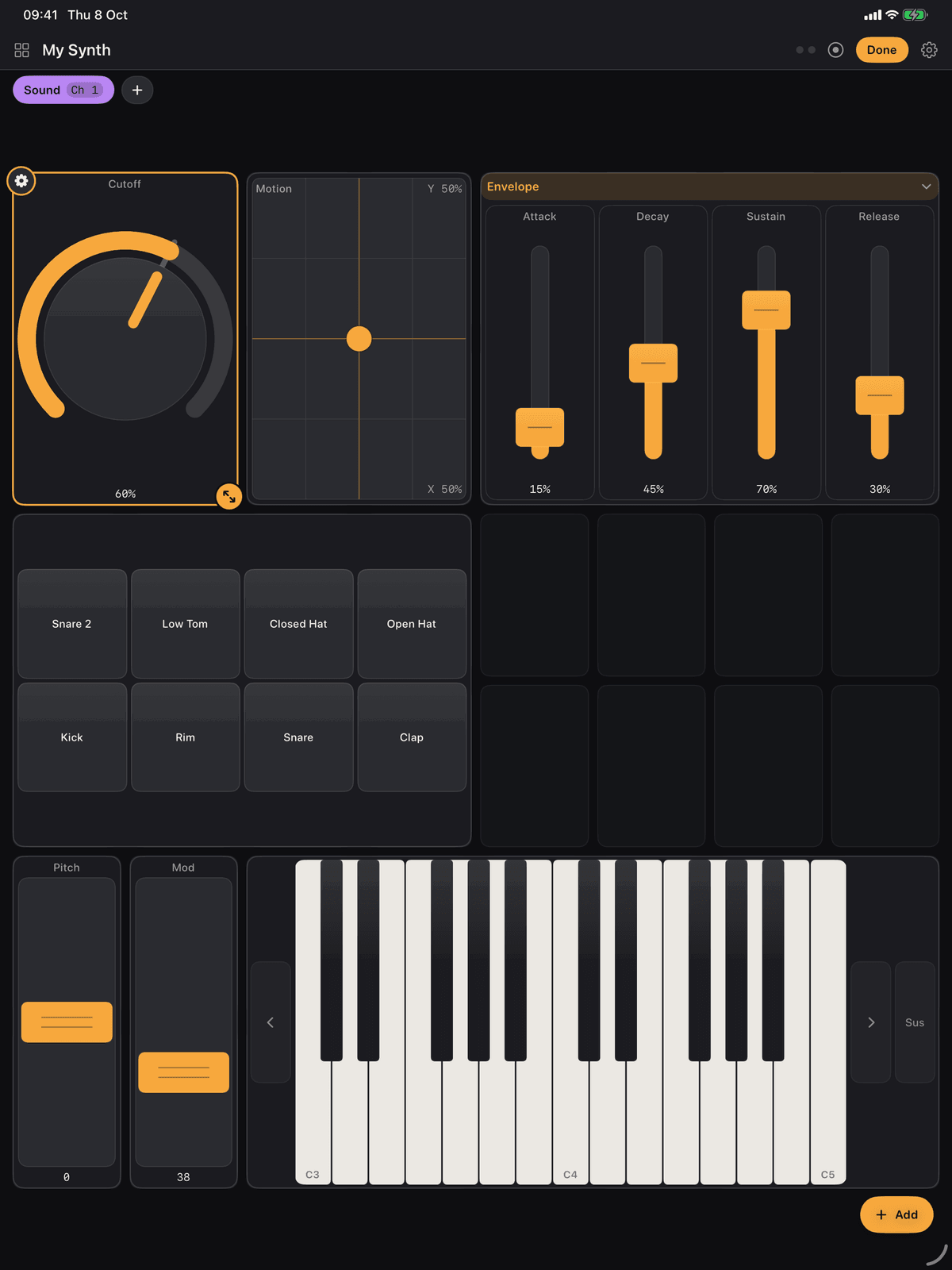
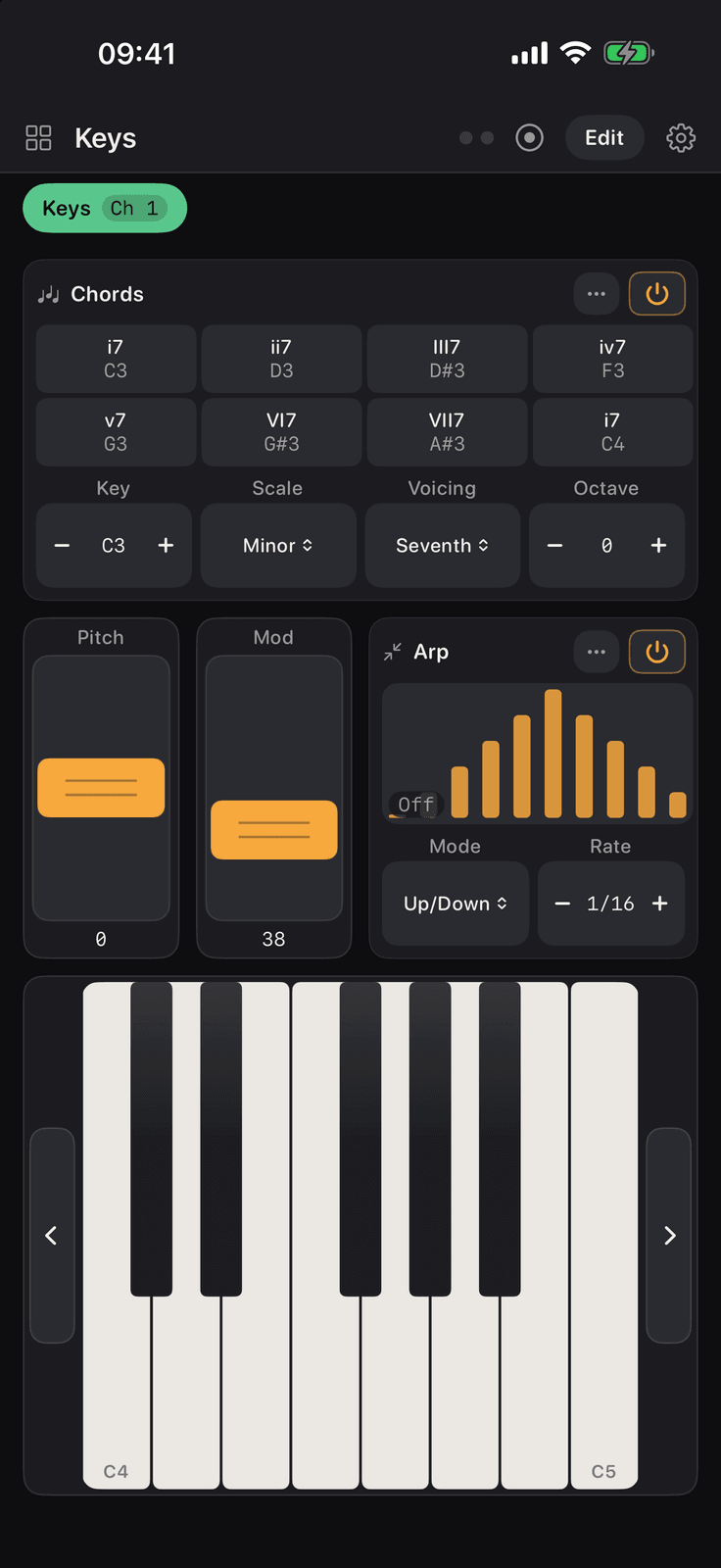
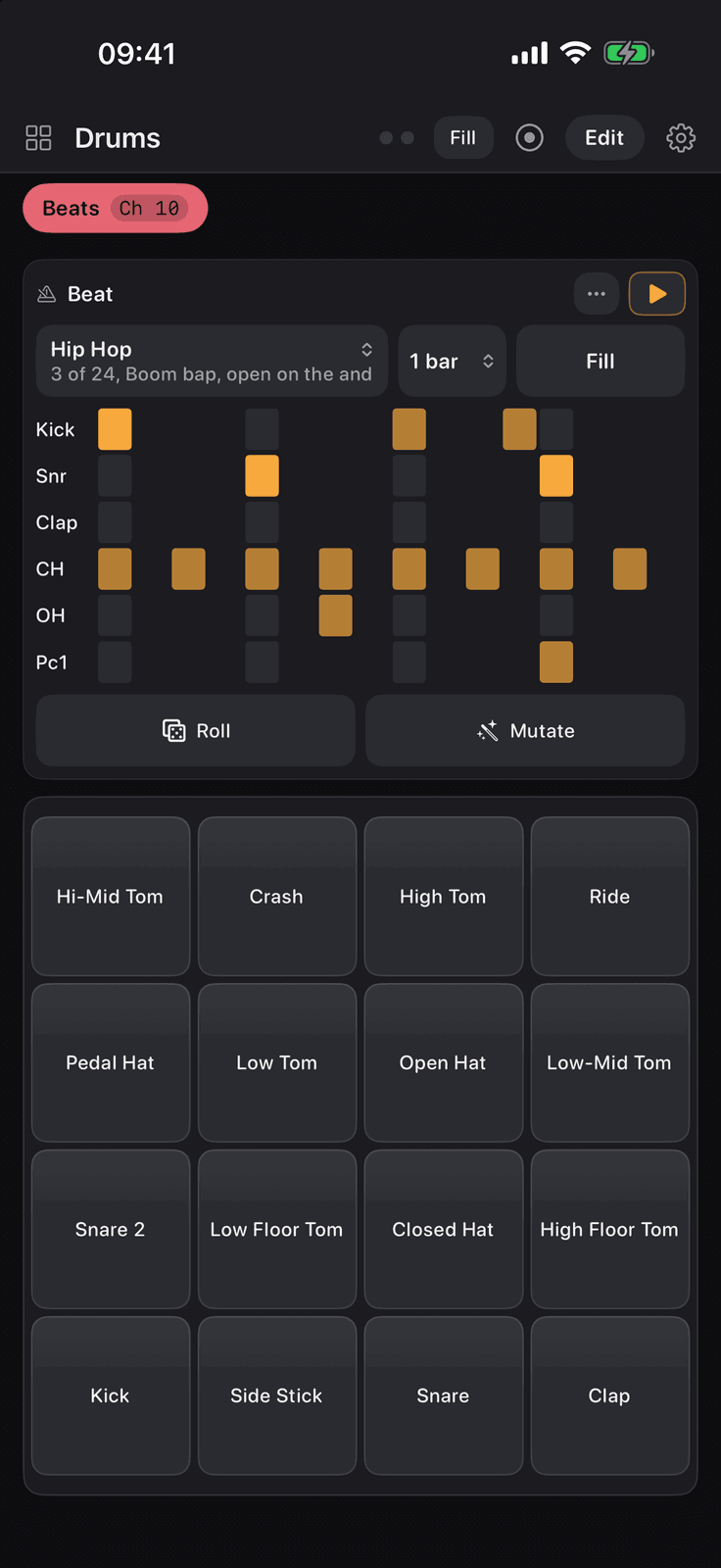
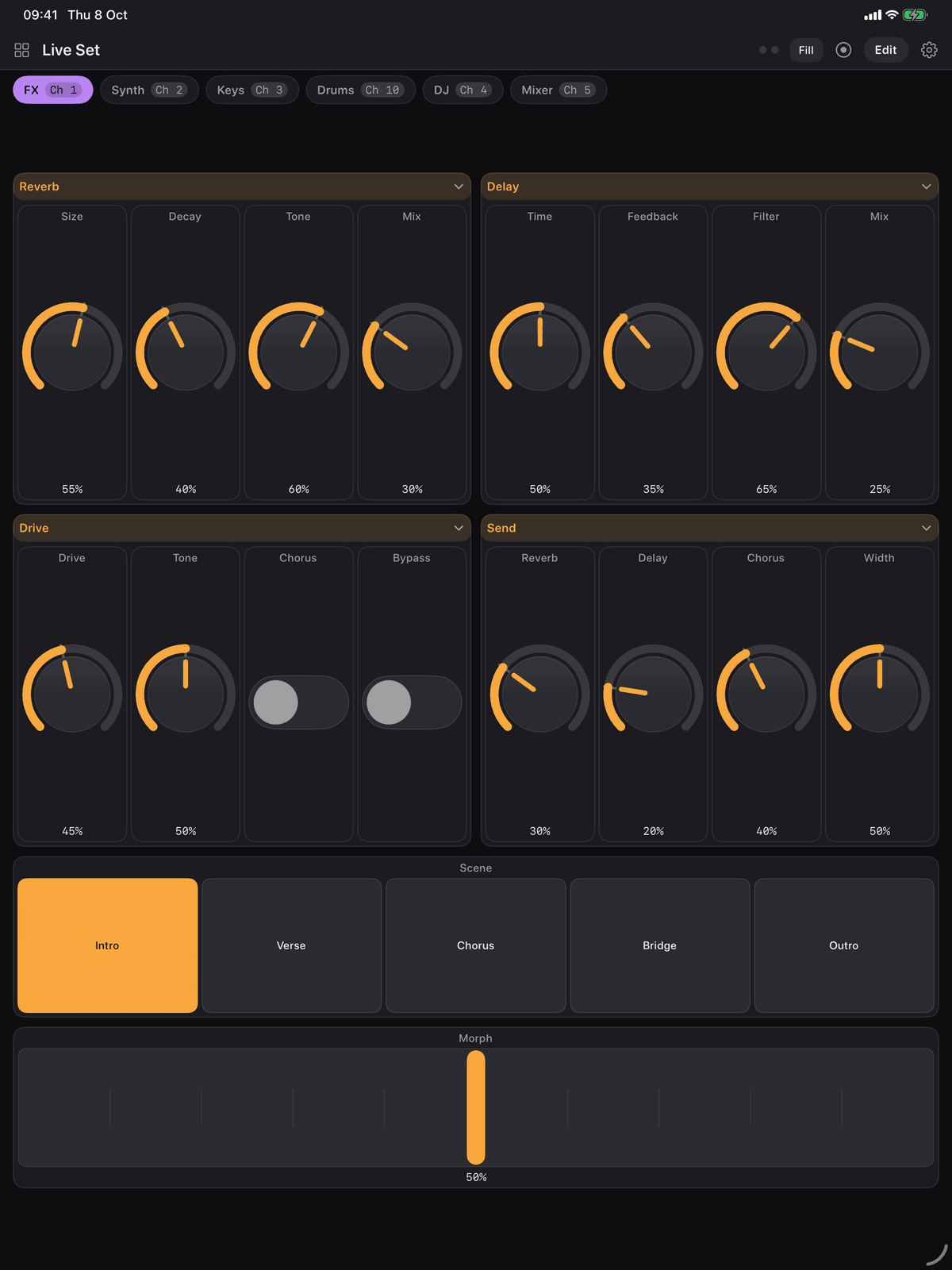
Knobs, faders, pads, an XY pad and a ribbon on one iPad page, with a mixer and a DJ board on the phone either side. Dark mode is the reference look.
66
layouts to start from, in seven families
54
kinds of control, every one wired on arrival
4
ways to connect: Wi-Fi, Bluetooth, USB, virtual
74
help articles in the app, searchable
You already run a DAW
Logic Pro, Ableton Live, Reason, Bitwig Studio, Cubase, Studio One, Reaper, FL Studio or Pro Tools, and you want a control surface without buying one. The iPad on the desk becomes the mixer, the transport and the eight knobs for whatever device is selected.
You own hardware
A synthesiser, a drum machine or a guitar rig with more inside it than the front panel has knobs for. Twenty four hardware boards are wired from the makers’ own MIDI charts, so the knob the panel never had is on the screen instead.
You play live
Pads, a DJ deck, a keyboard with chord pads, or clip launching on a tablet on a stand. Dark by design so the screen stays out of your eyes, with a Panic button for the moment a note sticks.
Lay it out yourself
One editing pattern serves every control
Tap Edit, tap a control, and its settings open with the common ones first and the rest behind More. Nothing needs saving: every change is written a moment after you make it.
Edit mode
Tap to select, drag to move, drag the corner to resize
Controls sit on the page’s grid and never overlap. A move that would run off the page, or land on another control, is refused with a short buzz rather than quietly ignored, so the board never rearranges itself behind your back.
- Sweep out empty cells to say where a new control goes and how big it is, then pick a kind. It is wired the moment it lands: knobs and faders take the next free CC on the page, buttons and pads the next free note from C2
- Hold a tile for its menu: duplicate it, move it to another page, move it into a titled panel that holds a grid of its own, or delete it
- Wire a control to another control on the same board instead of a MIDI number, so a favourites page can drive dials on other pages, and it follows them back
- Also sends lets one move send several messages, each through its own range and curve. Snapshots save and recall a page’s values, with a morph slider between two
Every control you would want
54 kinds of control, in six groups
Continuous, performance, mixing and DJ, generators and effects, display and layout. Velocity on pads and keys is measured by where the finger lands, by how much glass it covers, or fixed.
Knob
ContinuousA dial that sweeps one value, usually a CC
Encoder
ContinuousA knob that turns for ever and sends the movement
Fader
ContinuousA cap in a slot, motorised, standing up or lying down
XY Pad
ContinuousTwo parameters under one finger
Pitch Wheel
ContinuousA sprung wheel that bends and returns to the centre
Mod Wheel
ContinuousThe wheel beside the pitch wheel, and it stays where it is left
Ribbon
ContinuousA strip played by pointing at it, not by nudging it
Fader Bank
ContinuousTwo to eight faders in one tile, with a two finger spread
Stepped Knob
ContinuousA knob with named positions rather than a sweep
Gesture Strip
ContinuousA ribbon that remembers a movement and loops it on the clock
Motion
ContinuousThe device’s own tilt or shake as a controller
Tilt Ball
ContinuousA ball rolled round a dish by leaning the device, on two wires
Theremin
ContinuousA hand held over the depth camera, its distance the value
Hinge
ContinuousThe fold of an iPhone Duo as a controller: open and close the phone to sweep a value
Button
PerformanceA momentary button: down on the press, up on the release
Toggle
PerformanceA switch for the things that are plainly on or off
Pad
PerformanceOne velocity pad: how hard you hit it is where you hit it
Pad Grid
PerformanceRows and columns of pads: a drum rack or an isomorphic keyboard
Keyboard
PerformancePiano keys, multi-touch, with octave buttons at either end
Transport
PerformancePlay, stop, record and the rest, in one row
Launch Grid
PerformanceA session view on glass, wired the way a Launchpad is
Snapshots
PerformanceSave where the page stands, bring it back, and morph between two
Scene Button
PerformanceOne tap sends a whole batch of messages
Radio Row
PerformanceA row of named choices where exactly one is on
Matrix
PerformanceA grid of cells that chooses two values in one tap
Panic
PerformanceThe button for the moment a note sticks
Strummer
PerformanceSix strings to drag a finger across, carrying the chord you choose
Channel Strip
MixingOne track of a desk: fader, pan, mute, solo and record arm
Mixer
MixingA rack of channel strips, with a master and bank buttons
Crossfader
MixingA fader that knows where its middle is, for blending A into B
DJ EQ
MixingThree bands and their kills, the isolator every DJ mixer has
DJ Deck
MixingA jog wheel, a pitch fader, cue and play
Arpeggiator
GeneratorsHolds a chord and plays it one note at a time, in time
Chord Pads
GeneratorsEight pads, one chord each, all of them in key
Step Sequencer
GeneratorsA row of steps that plays a line, in key, on the clock
Euclidean Sequencer
GeneratorsFour drum lanes, each spreading its pulses evenly round a circle
LFO
GeneratorsA slow shape that moves a controller for you
Note Repeat
GeneratorsHold a key or a pad and it retriggers on the beat
Randomiser
GeneratorsChance, on a leash: random notes in a scale, or a controller that wanders
Beat Generator
GeneratorsA drum pattern in the genre you ask for, with fills
Turing Machine
GeneratorsA shift register of random bits that makes a melody you can lock
Envelope Follower
GeneratorsTurns how loud the room is into a controller
Note Echo
GeneratorsA delay for notes: one key comes back several times, quieter each time
Piano Roll
GeneratorsDraw a clip of notes and loop it, or load one from a MIDI file
Automation Lane
GeneratorsDraw a controller curve across the bars and let it play
Prompt Presets
GeneratorsButtons written from a sentence, with Apple Intelligence on the device
Timecode
DisplayWhere the music is, in digits you can read across a room
Readout
DisplayOne value in large type, or the last message that went by
Chord Name
DisplayThe name of whatever is being held, in large type
Spectrum Analyser
DisplayWhat the audio coming into the device looks like
MIDI Monitor
DisplayThe last messages in and out, on the board itself
Level Meter
DisplayHow loud the audio coming into the device is
Panel
LayoutA titled box holding a grid of its own controls
Label
LayoutWriting on the board: a heading, a name, a note to self
Twelve of the 54 kinds, to give the shape of it.
Boards and pages
Pages, for however you work
A board is a set of pages, each a grid of controls: one page for the synthesiser, one for the mixer, one for the drum rack is the usual shape. A page can have a MIDI channel of its own or share one, and any control can be given its own channel regardless. Tap a tab at the top to change page while you play.
- Designed on a grid of eight columns by six rows as a rule. An iPad shows it as designed; a phone reflows it into however many columns you choose and scrolls
- Boards are saved on the device, exported as files, shared by AirDrop and opened on any other device running the app. Recent boards are one tap from the main menu
- Rename, duplicate, share or delete any board. A duplicate is a true copy, with the links between its controls rewritten to match
- A generator started on page one keeps playing while you look at page two
Reaches your computer
Every connection is free
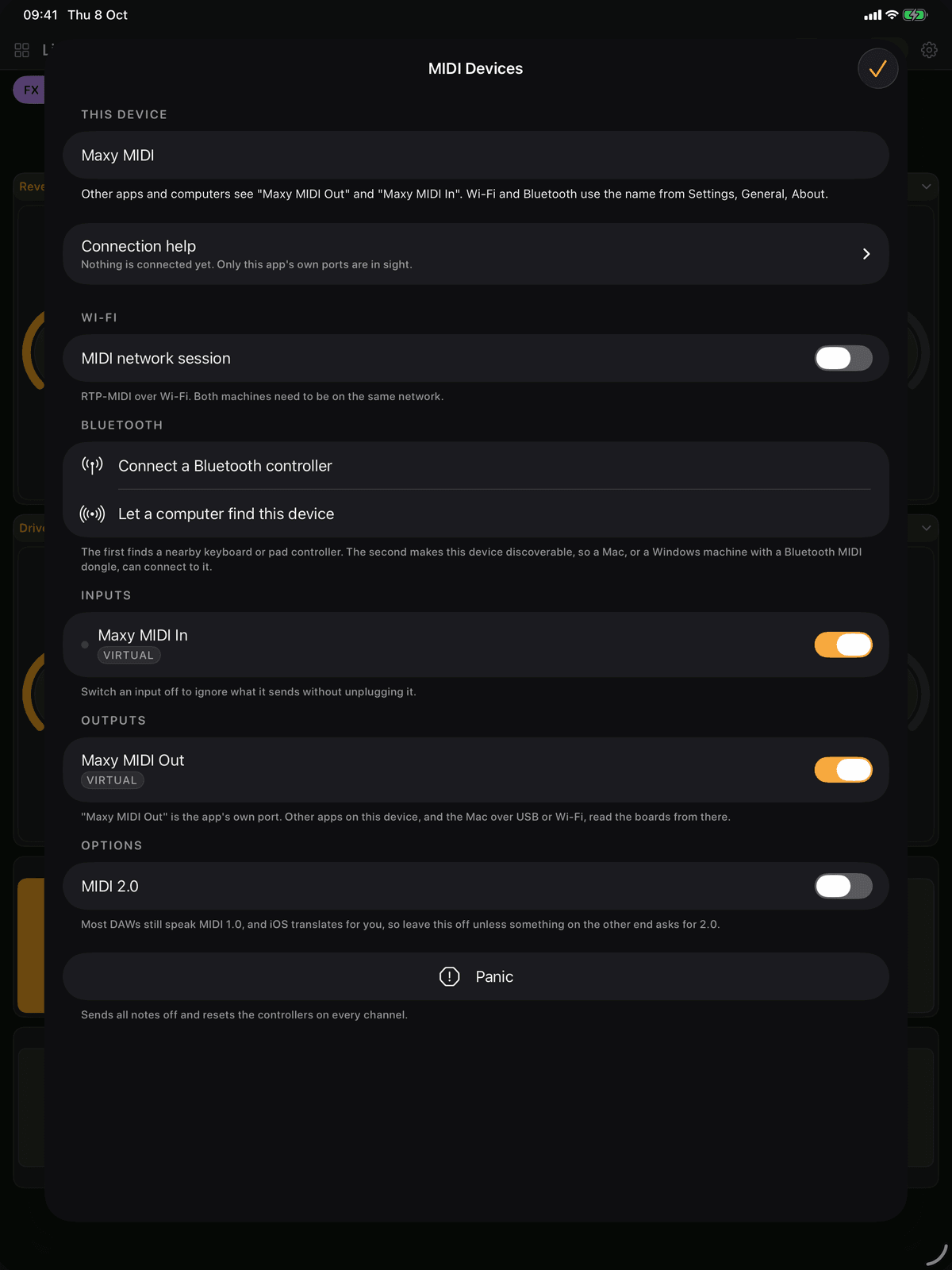
Wi-Fi, Bluetooth, USB and the app’s own virtual ports. A MIDI devices screen shows what is connected, and a MIDI monitor shows every message in and out for the moment something is not arriving.
Wi-Fi
The MIDI network session, in both directions, with no cable and no dongle. A Mac takes it in Audio MIDI Setup; a PC takes it with rtpMIDI. The easiest way to reach a computer in another room.
Bluetooth LE
Both ways: pair a nearby keyboard or pad controller, or let a computer find the device. The pairing sheets are the system’s own, and once a link is made it is an ordinary port.
USB
A cable to a Mac is the steadiest connection there is, with the lowest latency of the three. Class compliant interfaces and keyboards plugged into the device appear on their own.
Virtual ports
Maxy MIDI Out and Maxy MIDI In exist whether or not anything is connected, so a synthesiser app, a host such as AUM, or GarageBand on the same device can be played with nothing else set up.
Windows has no cable route for an iPhone or iPad, whatever the DAW is told, so a PC takes the Wi-Fi session with rtpMIDI or Bluetooth with a dongle. The app says so on the devices screen rather than leaving you to find out.
Speaks your DAW’s language
Ableton Live, Logic Pro and Reason, wired already
MIDI does not tell software what to do by itself. It sends numbers on channels, and the software at the other end decides what they mean. These three boards speak each DAW’s own language, and the template card says the one step to take on the host’s side.
Ableton Live
A remote script written for the app and bundled inside it, sent to the Mac from Settings. Clips come back in their own colours, a playing clip blinks, track names and device parameter names arrive, and the eight track meters come back too.
Logic Pro
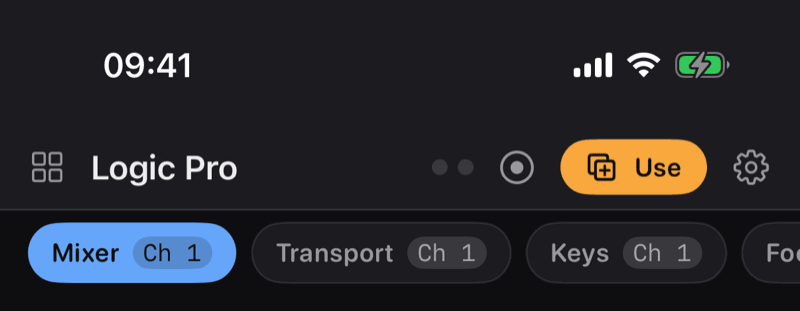
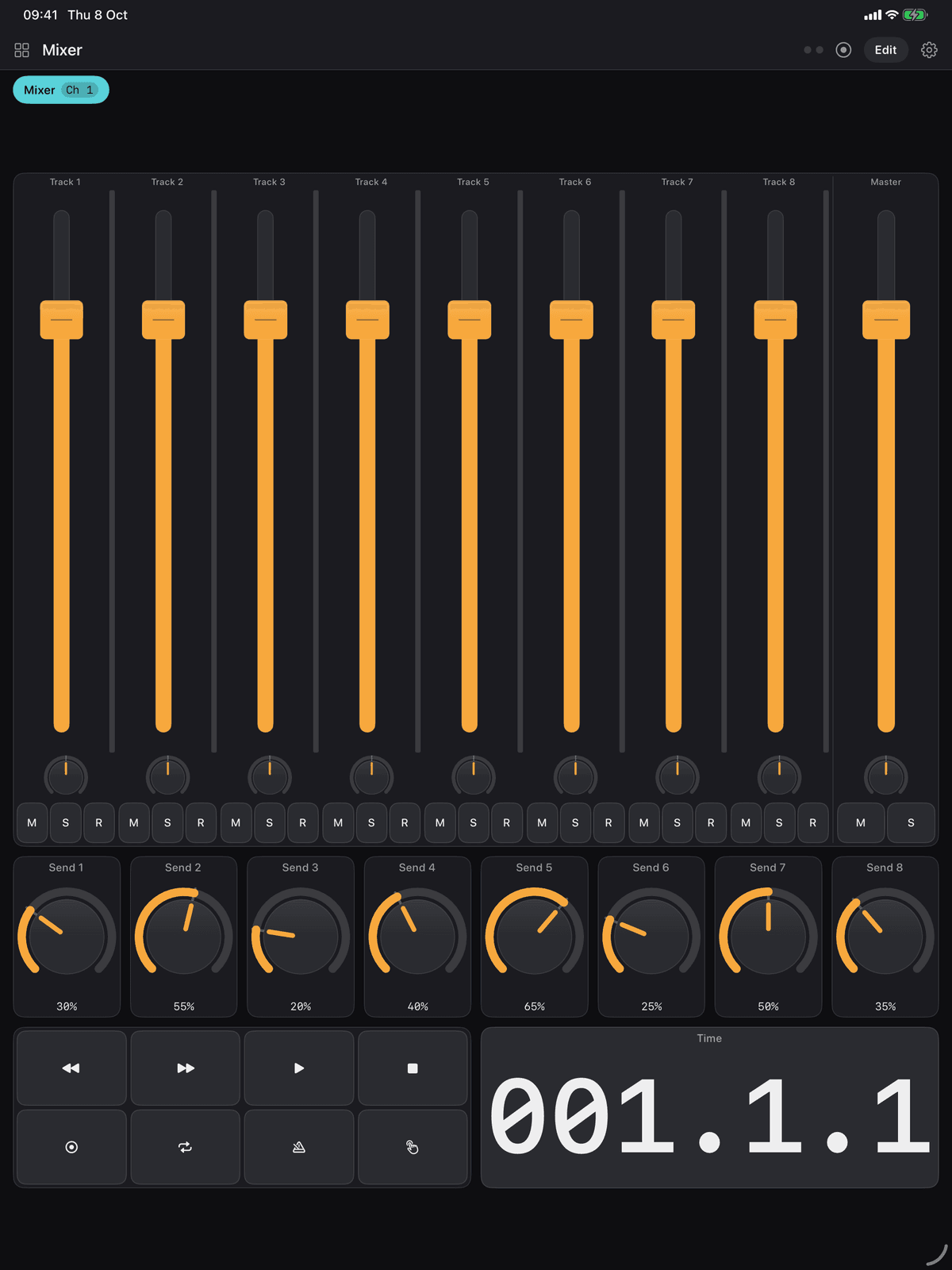
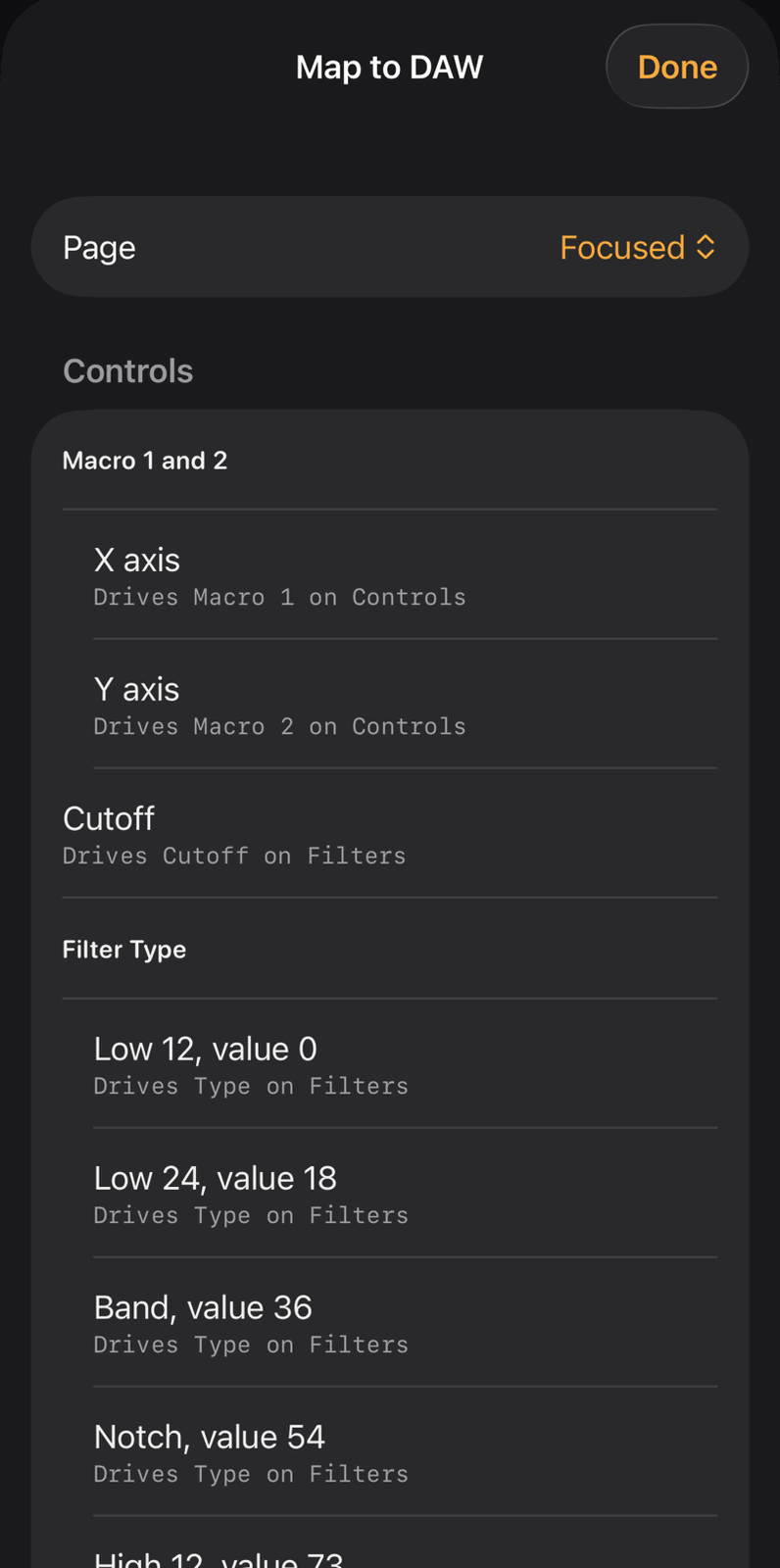
A Mackie Control mixer with bank and automation buttons, a Transport page that works with no learning at all, a Keys page with wheels, pedals and eight macros, and a Focused page that drives the others.
Reason
The front page plays a Combinator’s four rotaries and four buttons without any mapping, because Reason knows those numbers already. The mixer and transport are learnt with Remote Override, and the template is set up for how Reason listens.
Mackie Control and HUI
The two languages every big DAW already knows
Mackie Control and HUI are built in. Add the surface in Bitwig Studio, Cubase, Studio One, Reaper or Pro Tools, point it at the app’s ports, and the mixer, the transport and the jog work at once, with track names, meters and button lights coming back the other way and motorised faders following the DAW.
- A mixer or channel strip speaks plain CC, Mackie Control or HUI from a picker in its settings. Any other control can speak the protocol too
- Map to DAW walks the page part by part, sending each one in turn for the DAW’s MIDI Learn, and can share the whole list as a mapping sheet
- Controller scripts for Bitwig Studio and Reaper are written from the board you have open, so a mixer becomes track controls and a launch grid becomes clip launches
- The walkthrough, the mapping sheet, the DAW scripts and the recorder are all free
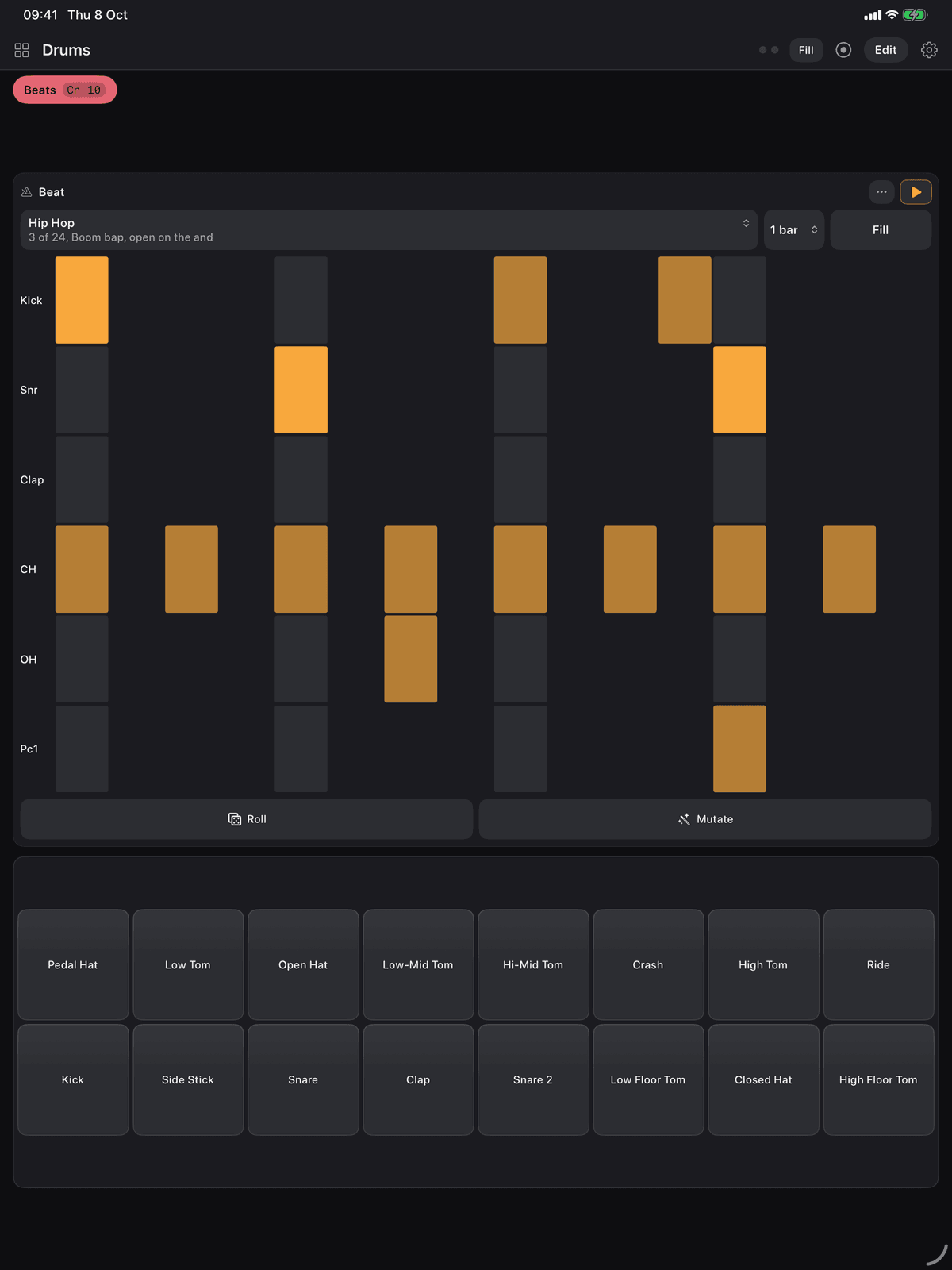
Generators
One clock runs the whole app
A clock that sends MIDI clock or follows one, with tap tempo, including tap from the audio input. Every sequencer, arpeggiator, LFO and clip takes its timing from it, so nothing has a timer of its own and nothing drifts.
- Arpeggiator: holds a chord and plays it one note at a time, with latch
- Chord Pads: eight pads, one chord each, all of them in key
- Step Sequencer: a line in key, with conditional trigs and probability
- Euclidean Sequencer: four drum lanes spreading their pulses round a circle
- LFO: a slow shape that moves any CC for you
- Note Repeat and Note Echo: retrigger on the beat, or come back quieter each time
- Turing Machine: a shift register of random bits that makes a melody you can lock
- Beat Generator: hand-written patterns for two dozen genres, with fills, over a drum rack
- Piano Roll: draw a clip and loop it, or import and export a .mid file
- Automation Lane: draw a controller curve across the bars and let it play
- Prompt Presets: a page of presets written from a sentence, using Apple Intelligence on device where it is available
Every note a page plays goes out through that page’s effect chain: transpose, scale lock, strum, humanise and the rest, applied on the way to the wire.
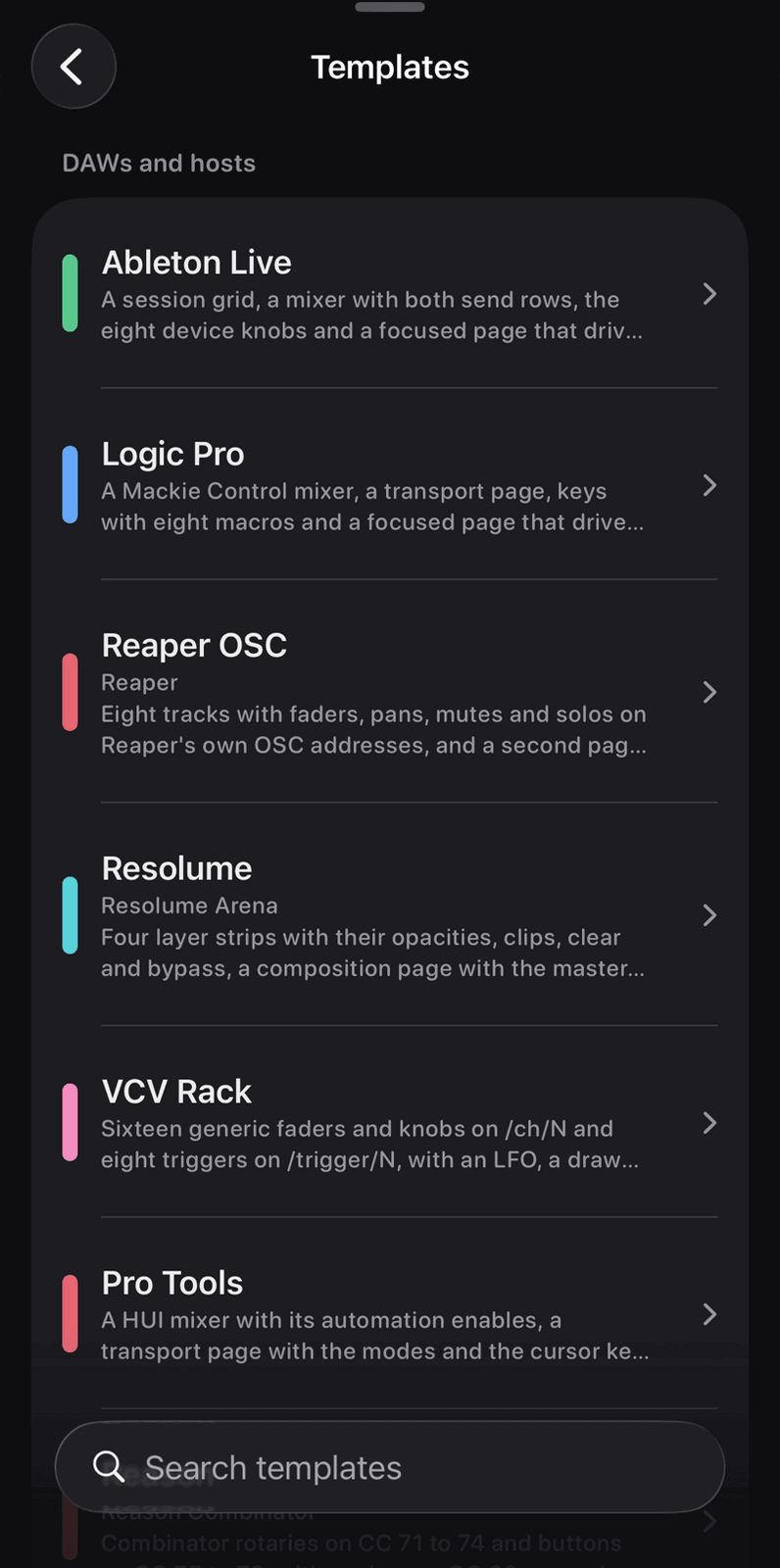
Sixty six layouts to start from
Every template says how it is wired
A template is a good layout whose numbers never clash: every control has a controller or note of its own. The line under each card says which of four kinds it is, in the app’s own words.
- Tested
Tested against the real thing
Ableton Live, Logic Pro and Reason.
- Surface
Mackie Control or HUI: add the surface in the host and it plays
Bitwig, Cubase, Studio One, Reaper MIDI and Pro Tools.
- Chart
Wired from the maker’s MIDI chart
The twenty four hardware boards, Helix, Kemper Profiler, Reaper OSC, Resolume and GarageBand.
- Layout
A layout to learn: every control has its own number
The software instruments, FL Studio, VCV Rack, the performance boards, the utilities and the starters.
13 DAWs and hosts14 software instruments24 hardware synths and drum machines7 DJ and performance2 guitar rigs3 utility and lighting3 starters: piano, clips and blank
Every template can be opened and played in the free app, within its limits. Keeping a copy as a board of your own is what Pro is for. Hardware boards include the Hydrasynth, Prophet-5, Minilogue XD, Digitakt, OP-1 and MicroFreak; software boards include Serum, Diva, Vital, Pigments, Massive X and Kontakt.
The details
A full portfolio that stays simple
The tools behind the gear
Settings, MIDI devices, a MIDI monitor that shows every message in and out, a recorder that captures what the board sends as a standard MIDI file, scenes that send a batch of program changes, CCs and notes in one tap, and a patch librarian for sysex dumps, sent and received.
OSC over Wi-Fi
Open Sound Control over UDP for the hosts MIDI cannot reach: Reaper, Bitwig, Resolume, TouchDesigner, VCV Rack and QLC+. Receiving is free; sending is Pro.
Play it from a computer keyboard
A USB keyboard, or an iPad on a Magic Keyboard, plays notes in Ableton Live’s layout: A is middle C, Z and X change octave, C and V change velocity. Any key can be wired to a button, toggle, pad, scene button or panic, and a switch turns the note playing off.
What comes back moves the board
Faders follow the DAW, buttons light, a launch grid takes clip colours, and the piano keyboard lights the notes a DAW clip plays. Send current values puts the DAW where the board already is, in one tap.
Made for the iPhone Duo
Supported in every pose. A page can be split at the fold with each half designed on its own, and a Hinge control turns the fold angle into a CC, pitch bend or aftertouch. Checked on Apple’s simulator ahead of the hardware.
Help that is in the app
Seventy four articles, searchable, with pictures, covering every control and every screen. On an iPad with Apple Intelligence, an Ask field answers from the articles on device. Every control that takes a finger is labelled for VoiceOver.
Free and Pro
Play for free. Pay once to take the limits off.
The free app is a working controller with limits beside it. Maxy MIDI Pro is one non-consumable purchase, not a subscription, and it restores on your other devices and after reinstalling.
Free
One board, three pages
- One board of your own, of up to three pages, and one control of each kind on a page. A second knob on the same page is drawn padlocked and sends nothing, on template pages too
- One generator running at a time, and the first four beat genres
- Every connection: Wi-Fi, Bluetooth, USB and the virtual ports. OSC receiving
- Every template opened and played within those limits. A template copy is kept in memory only, so it is gone at the next launch
- Five patches in the librarian and two scenes. The mapping walkthrough and its sheet, the DAW scripts and the recorder, all free
Maxy MIDI Pro
One-time purchase
- As many boards, pages and controls as you like
- Template copies kept as boards of your own
- Board export and sharing, by file or AirDrop
- OSC sending, and every beat genre
- Scenes and patches without limit
- Bought once on your Apple Account. Restores on your other devices and after reinstalling. A padlocked control keeps its place, its name and its wiring, and starts sending the moment Pro is unlocked
Private by architecture
No accounts, no server, no tracking
Nothing leaves the device except the MIDI and OSC messages you ask it to send to machines on your own network.
Nothing is collected
No accounts, no analytics, no advertising and no third-party code of any kind. Boards are files in the app’s own container, and deleting the app deletes them.
Local network, for your own computer
The app looks on your local network only to find music software on your Mac or PC, run the Wi-Fi MIDI session and send OSC. Nothing goes anywhere else.
Bluetooth, only for MIDI
Used to connect to wireless MIDI controllers and adapters, and to let a computer find the device. No location is derived from it.
The microphone feeds the analyser
The spectrum analyser, the level meter and tap tempo from audio listen to the microphone or a connected interface. Audio is drawn on screen as it arrives and is never recorded, stored or sent anywhere.
The details, in full: Maxy MIDI Privacy Policy
The controller you would have built,
on the device already in your hand.
Requires iOS 18 or later. iPhone and iPad, and the iPhone Duo in every pose. No accounts, no advertising, no subscription. Built by PDS Technology in the UK.
Coming soon to the App Store
Questions? Get in touch·support@pds-technology.ltd