For iPad & iPhone
Stereogram Studio
Hidden 3D pictures, made on your iPad.
The pictures made famous by the Magic Eye books: a page of repeating pattern with a three dimensional shape hidden inside it, which rises off the paper when you let your eyes relax. Stereogram Studio makes them from a shape, a 3D model, a photograph with depth, a drawing or a line of text, decodes any stereogram back to its hidden relief, and animates them into video.
Make for freeDecode for freeNo accountsNo subscriptionEverything on device

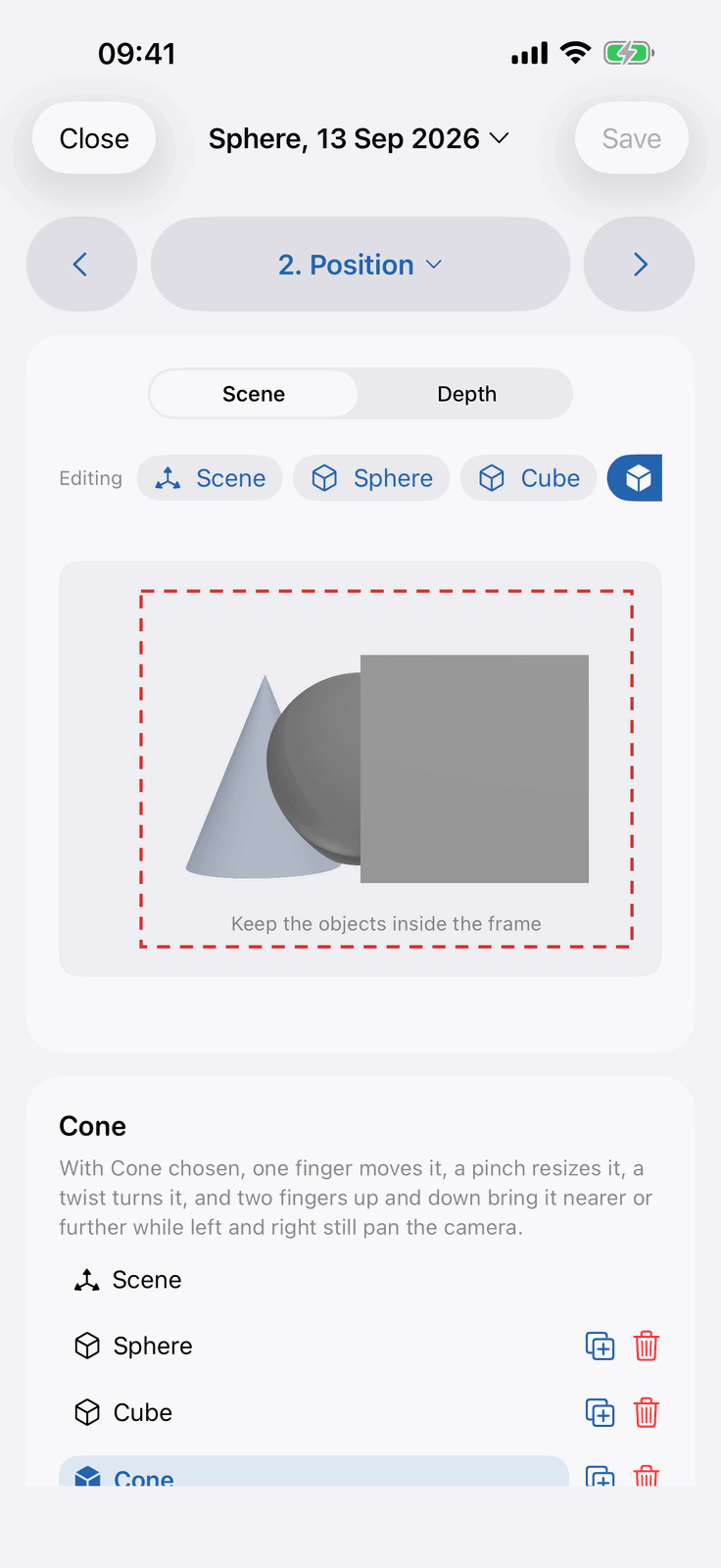
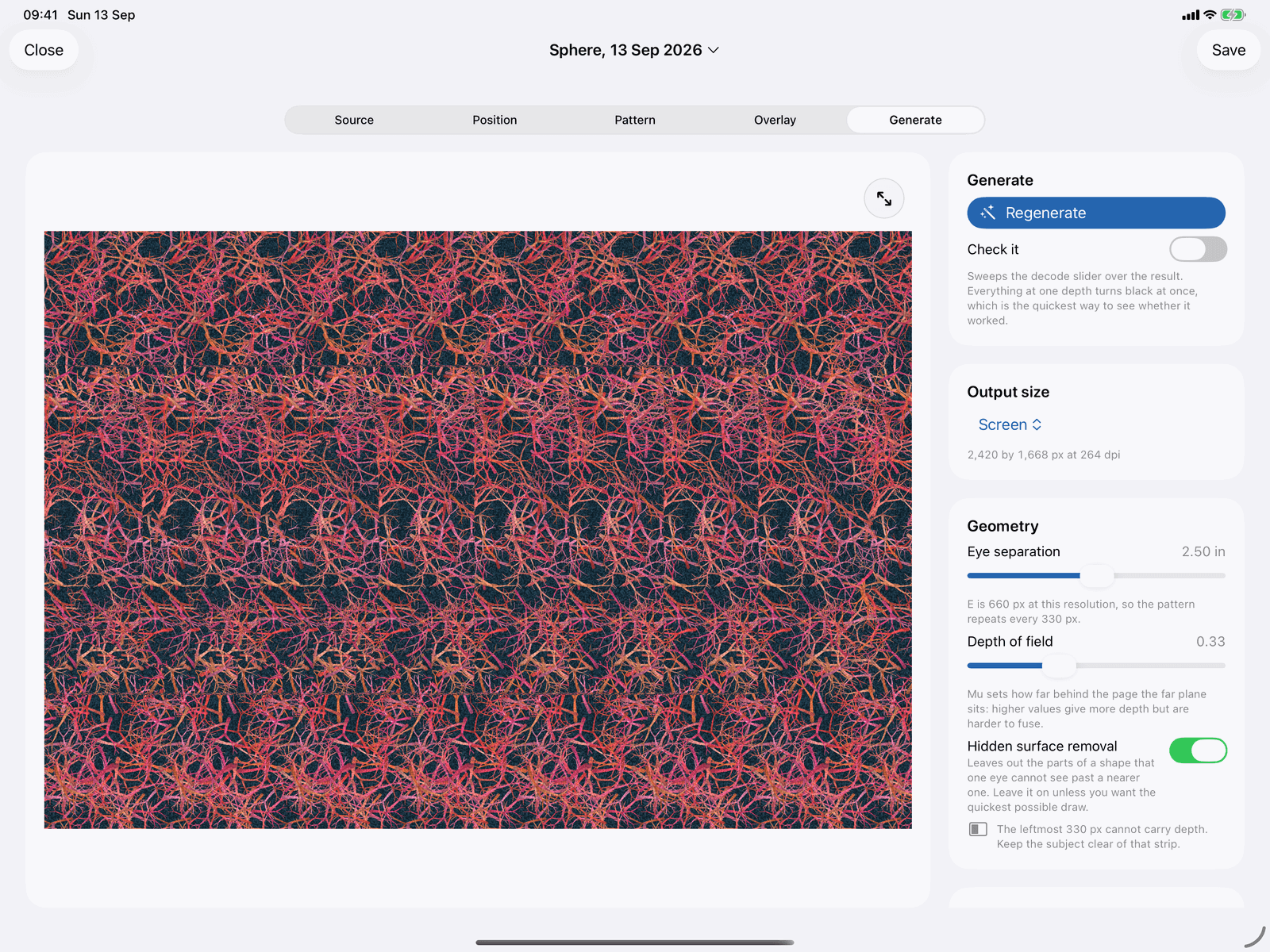
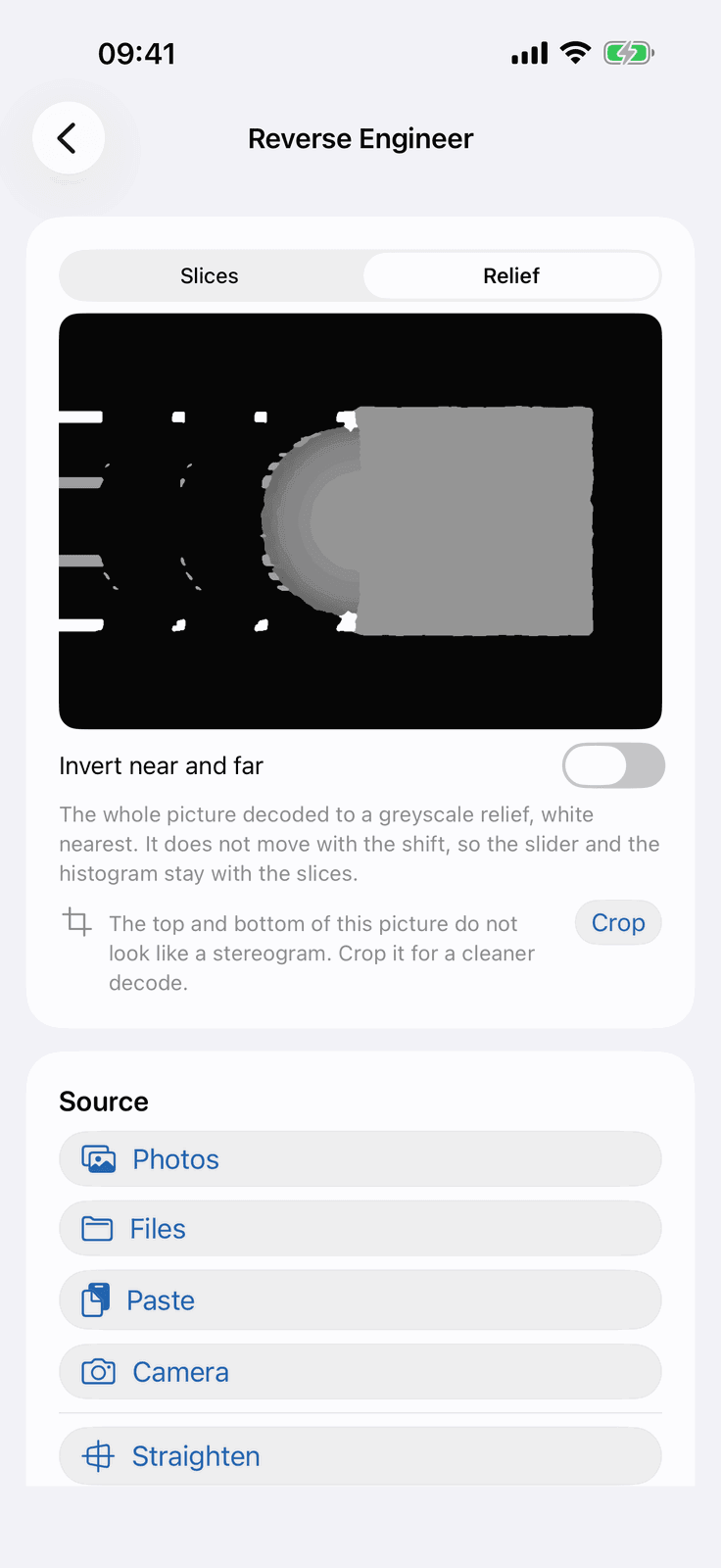
The same project arranged on an iPhone and generated on an iPad, and Reverse Engineer giving a hidden shape back as a relief.
19
shapes bundled, free to use
39
built-in patterns, or draw your own
A3
at 300 dpi, ready to print
21
guide articles on seeing and making them
Fans of the Magic Eye books
Grew up on the pictures and never had a way to make your own. Start from one of nineteen bundled shapes and you will have one in a minute.
Geocachers
Hide coordinates in a word stereogram or a hidden message: a puzzle stage nobody can solve by pasting it into a search engine. Reverse Engineer checks the other side of the puzzle.
Teachers and science communicators
A printable classroom set from the book builder, and a plain explanation of stereo vision in the Learn section to go with it.
3D artists and scanners
Already have OBJ, STL, PLY, USDZ, FBX or glTF files? Drop one in and give it a new way to be seen.
LiDAR and Portrait photographers
On iPads and iPhones with a LiDAR camera, point it at a real object and watch it become a stereogram live, then freeze the frame you like and build on it.
Anyone making something to share
Export presets for Instagram square and portrait, Stories and Reels, X and Bluesky, and Facebook, at the right size first time.
One app, eight doors
Most stereogram tools do one of these
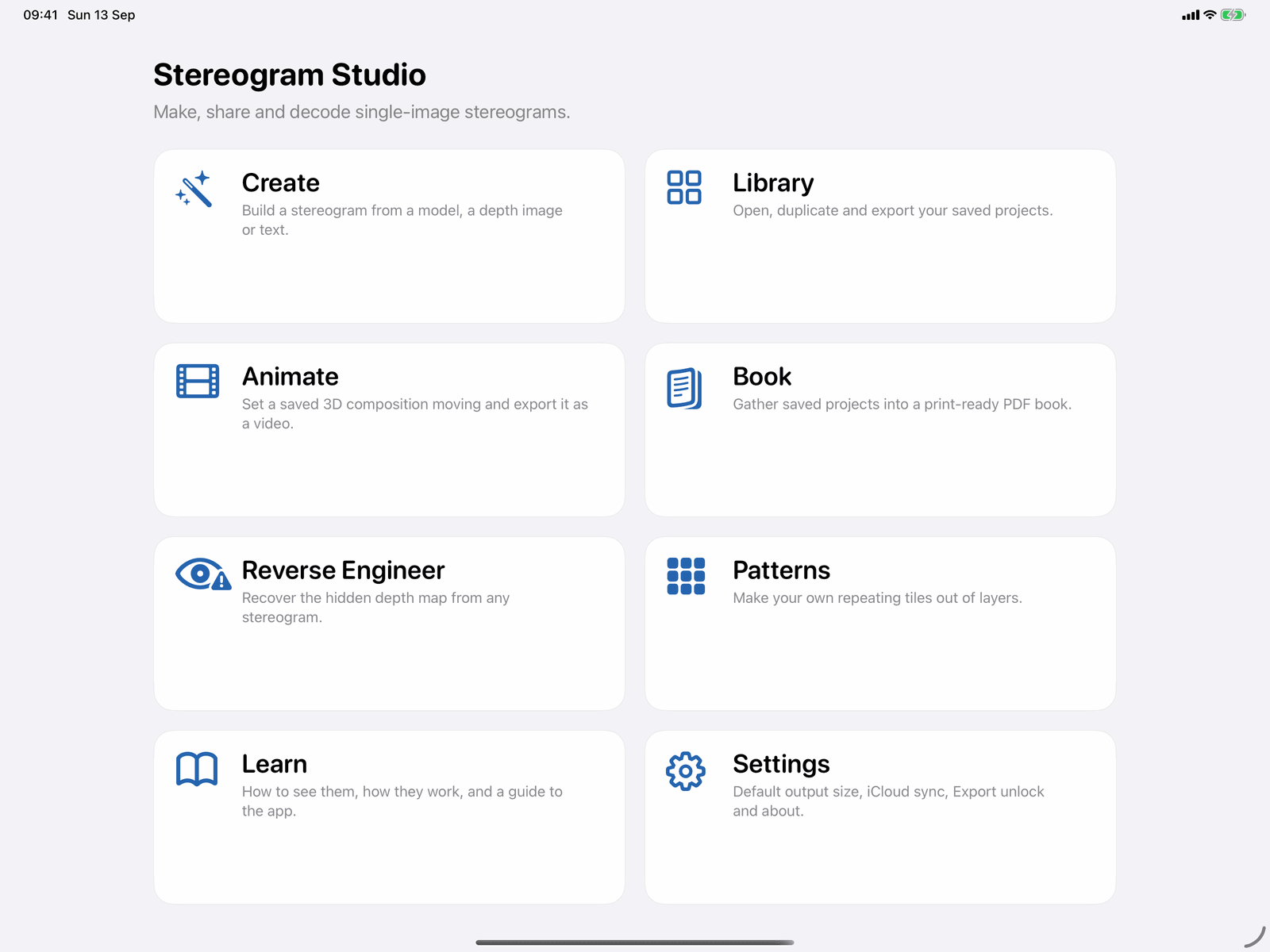
The main menu is eight tiles, and the breadth is the point. A maker, a decoder and an animator in one app, with a pattern maker, a book builder and a proper guide around them.
- Create: build a stereogram from a shape, a model, a depth image or text
- Library: every saved project on one shelf, most recent first
- Animate: set a saved 3D composition moving and export it as video
- Book: gather saved projects into a print-ready PDF
- Reverse Engineer: recover the hidden relief from any stereogram
- Patterns: make your own repeating tiles out of layers
- Learn: how to see them, how they work, and a guide to the app
- Settings: defaults, iCloud sync, Export Unlock and about
Create
From a shape to a finished picture in five steps
Source, Position, Pattern, Overlay, Generate. Every control has plain language beside it, so there is no hobbyist guesswork about what eye separation or depth actually do.
Source and Position
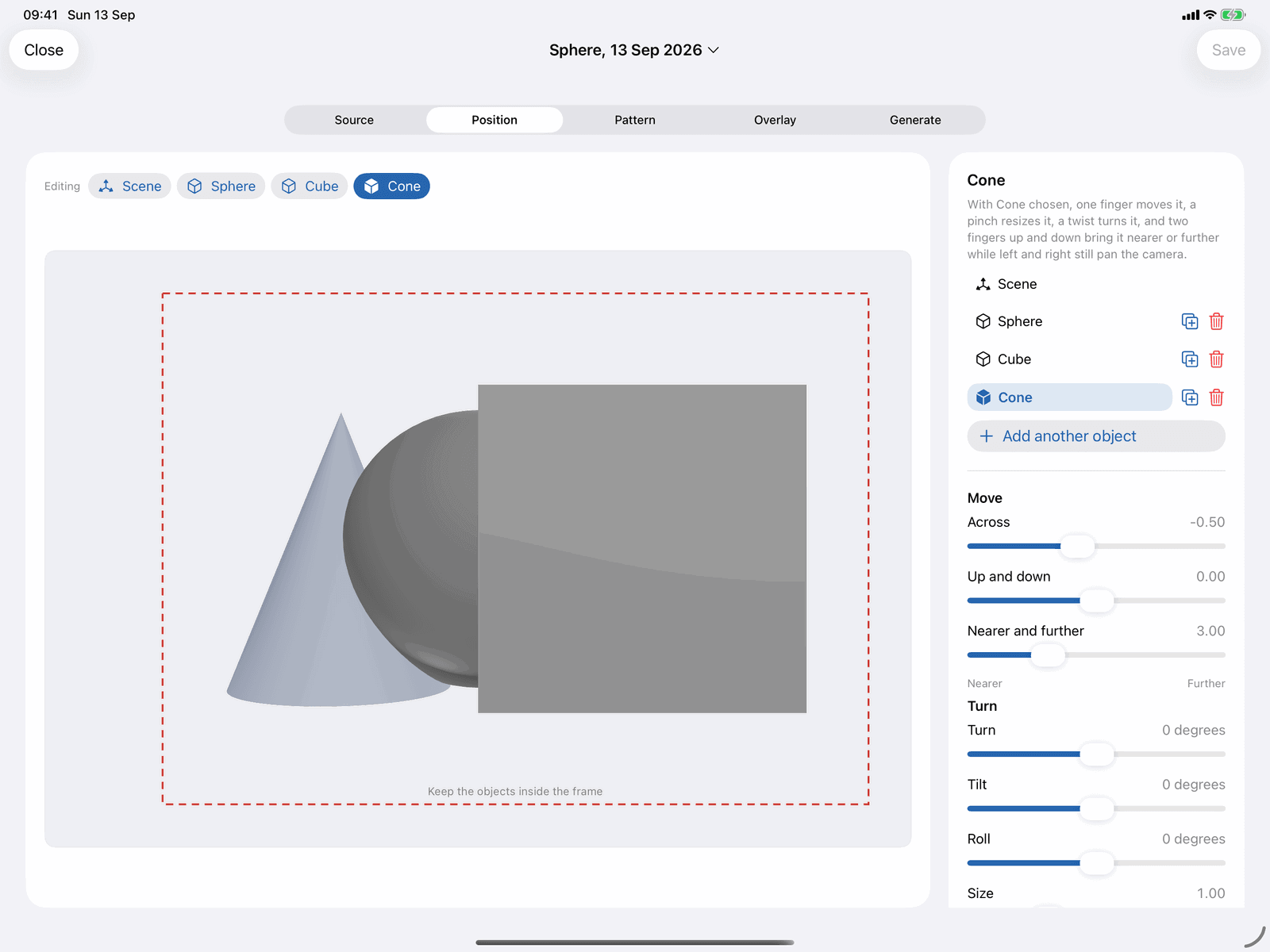
Say what is hidden, then arrange it
Nineteen ready-made shapes are bundled and free, grouped as primitives, shapes, animals and objects, each drawn as a greyscale relief so you can see the depth before you commit. Beyond those, bring in your own.
- Import a 3D model in any of seven formats, a greyscale depth map, or a Portrait or LiDAR photograph with its real depth
- Lift a subject out of a photograph, stack flat drawings as layers with a depth each, extrude a line of 3D text, or hide a written message
- One finger orbits the camera, a pinch zooms, and a tap picks any object to move, turn on three axes, resize, or squash and stretch its own relief
- A switch flips between the scene and the depth map the generator will actually read, with a floor to lay underneath and contrast, black point, white point and softening to tune how strongly the shape stands out
Pattern
Thirty-nine patterns, or a tile you drew yourself
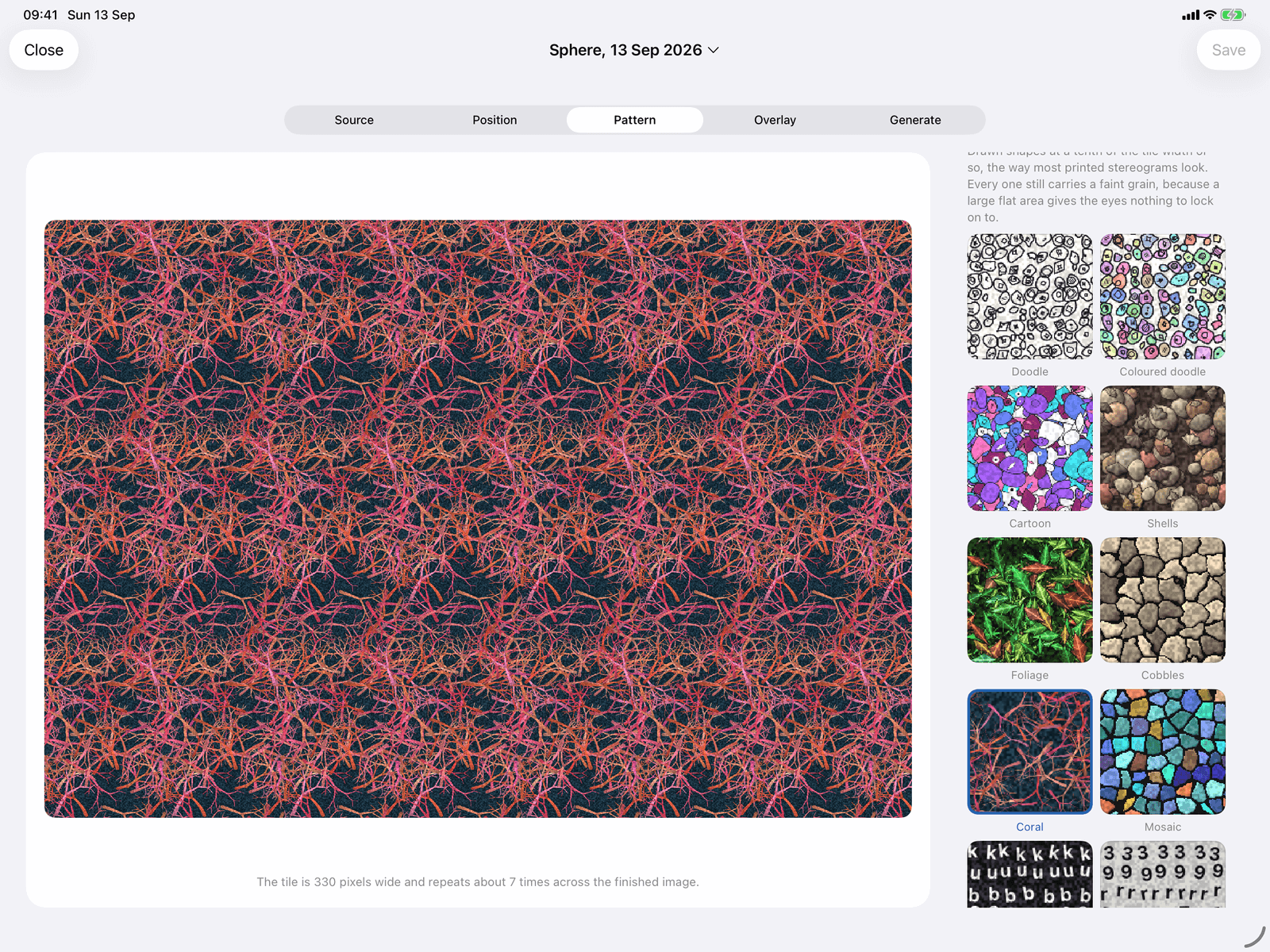
The pattern is what the viewer actually sees, so there is a lot of choice, and anything from your own pattern library appears here too.
- Nineteen tiles with large features: doodles, cartoons, shells, foliage, cobbles, coral, mosaics and a sea of letters
- Sixteen fine textures: noise, marble, scales, pebbles, wood grain, bark, terrazzo and knitting, plus four tiles that move, for animations
- Classic random dots with their own density and dot size, or any picture of your own, resampled so its width matches the repeat exactly
- A feature size slider from fine detail to the largest shapes, a choice of repeating tile or a single tall strip, and a mode that bakes a visible picture onto the raised object
Overlay: optional colour
A wash of colour laid over the finished picture so it reads as a scene rather than a slab of pattern. Nine presets, or build your own two or three colour band with your own horizon and softness, paint one by hand with a brush, a dragged gradient and a glow tool, or import a picture. Everything is blurred on the way out, and the screen tells you why: a sharp overlay would be copied sideways as the pattern repeats and ghost.
Sky and grassSky, horizon and grassSunsetOceanDesertNightFireSunriseSea and sand
Generate
Check it before you spend ink on it
Press Generate and watch the progress bar. The Check it switch sweeps a decode across the result so the hidden shape appears in slices, which tells you in two seconds whether the picture works.
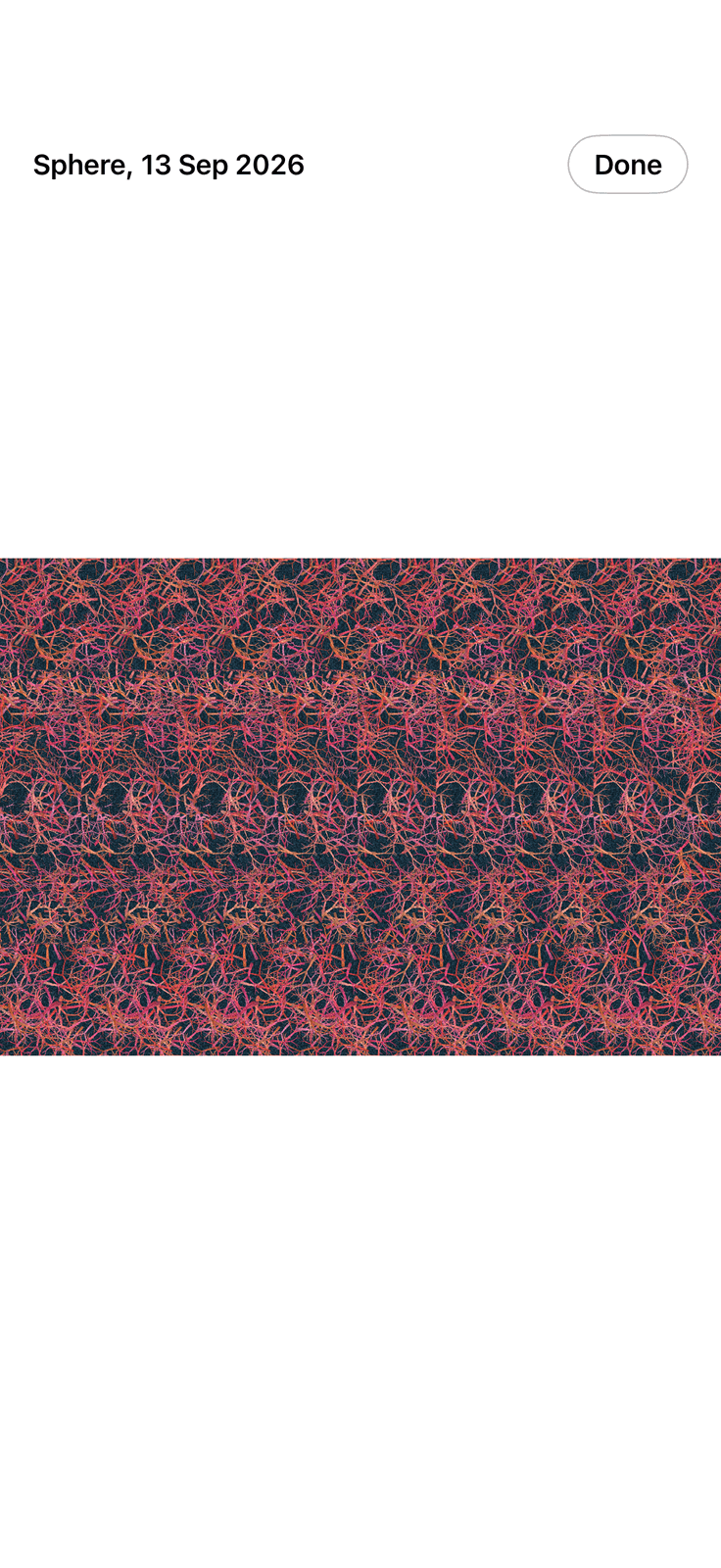
- Output from screen resolution up to A3 at 300 dpi, with US Letter, Tabloid and a custom size up to forty megapixels
- Eye separation set in inches with the pixel repeat read back to you, a depth control for how far behind the page the far plane sits, and hidden surface removal on by default with a line saying what it costs at the left edge
- Save to the library, export as PNG, JPEG or HEIC with an optional border and convergence dots, send straight to a social preset, or open it in the animator
- A stereogram cannot be fused when it is small, so every generated picture opens full screen at a tap: pinch to zoom, drag to pan, double tap back to the fit
- The difference between an app you make pictures in and an app you can actually see them in
Reverse Engineer, free in full
Decode any stereogram back to its hidden relief
Yours or a stranger’s, from a file, the clipboard, or the camera pointed at a printed page. The whole of Reverse Engineer is free, exports included, with no watermark.
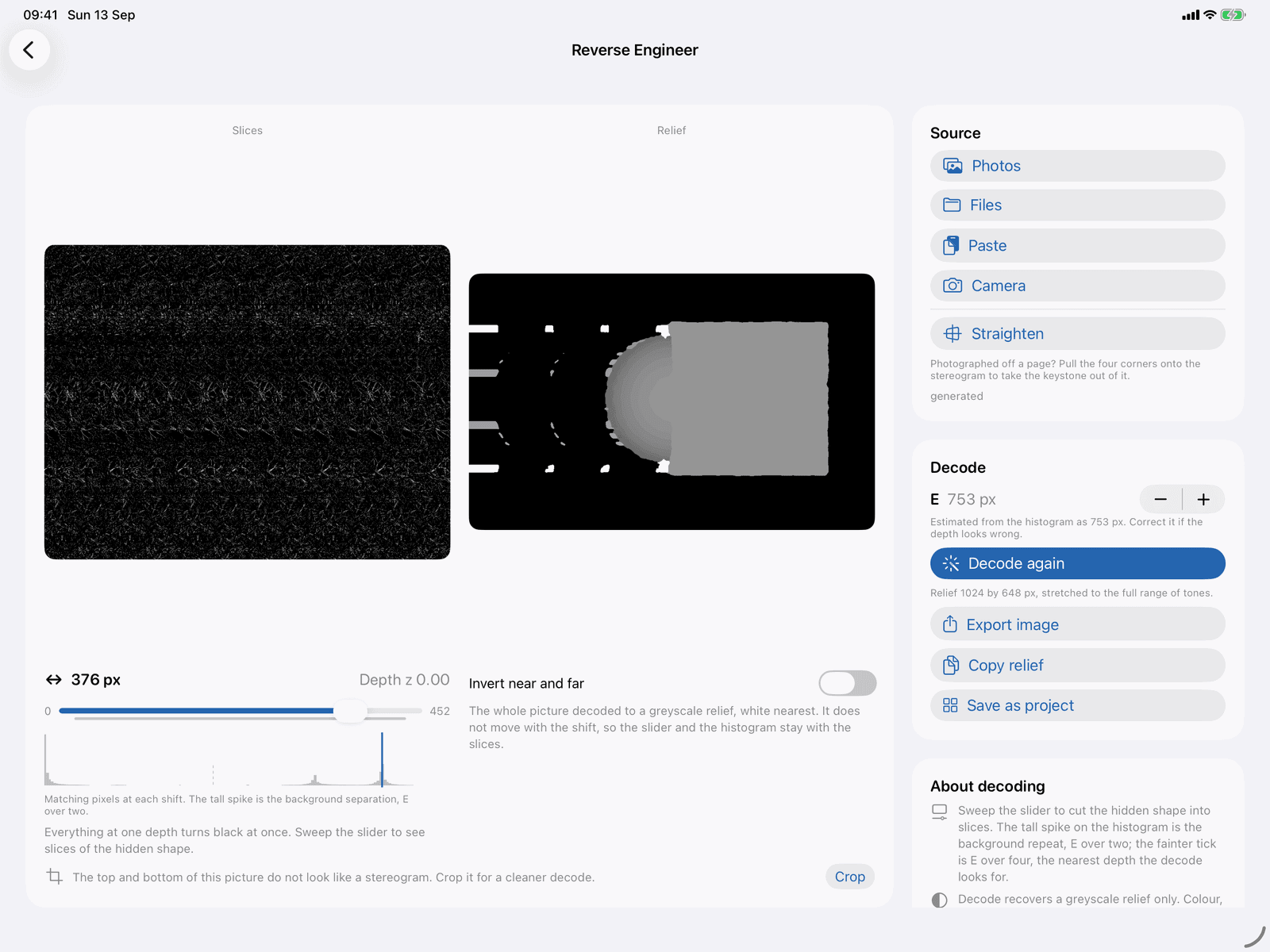
- Load from Photos, from Files or iCloud Drive, from the clipboard, or from the camera, which finds the edges of a printed page, corrects the perspective and crops it
- A straighten tool with four corner handles, an automatic one, and a clever one that places the handles from the stereogram’s own repeat
- A histogram of how many pixels match at each shift, the tall spike being the pattern’s repeat width, and a slider that sweeps the decode so you watch the shape appear in slices
- Export the relief, copy it, or save it as a new project and give it a fresh pattern
What a decode gives you
A greyscale relief of the hidden shape, white nearest, and nothing else. The colour, the texture and the pattern of the original are gone for good. That is a limit of the mathematics rather than of the app, and it is the honest reason a decoded shape looks like a plaster cast rather than a photograph. It is also exactly what a geocacher needs to read the coordinates.
Animate
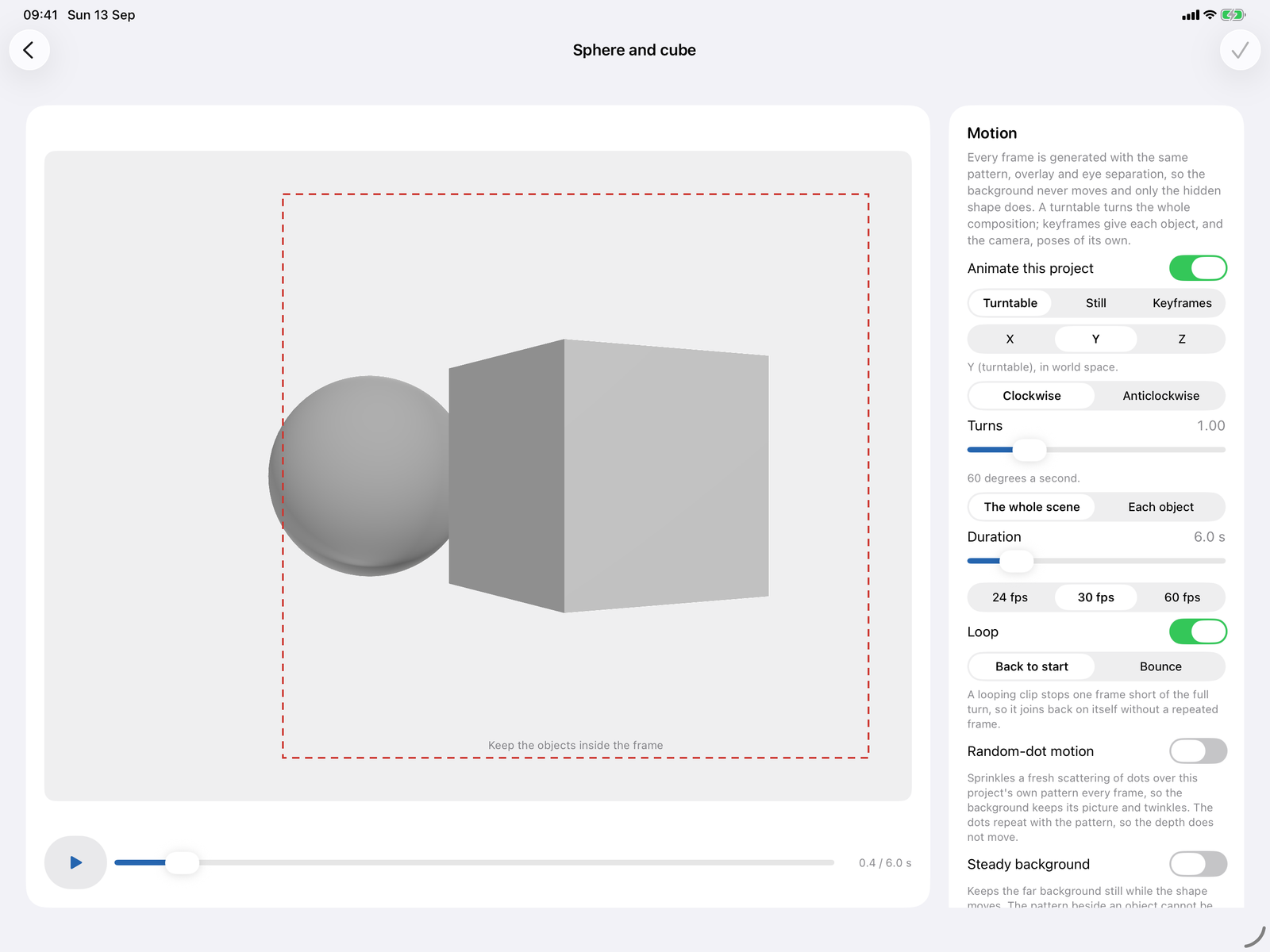
Set the hidden shape turning and export a video
The trick that makes an animated stereogram readable is that the pattern, the colour wash and the eye separation are identical in every frame, so the only thing changing is the hidden shape. Stereogram Studio holds all three steady for you.
- A turntable that turns the whole scene or each object on the spot, a still mode that holds the pose so only the objects or the pattern move, and keyframes with your choice of easing and auto-key
- Individual objects can spin on their own axis, rise and fall, hold still while the rest turns, or run ahead of the clip on a delay
- The pattern can move too, cycling its colours round the hue circle or playing the frames of an animated tile
- Export an H.264 MP4 at project size, 1080p, 4K, square or portrait, with optional convergence dots on every frame and a two second title card, or a sprite sheet with a JSON sidecar for games and the web
Two more kinds
Words that float, and wallpapers where nothing is hidden
Not every stereogram hides a shape. One kind is a page of ordinary type, and one kind shows you everything.
Word stereograms
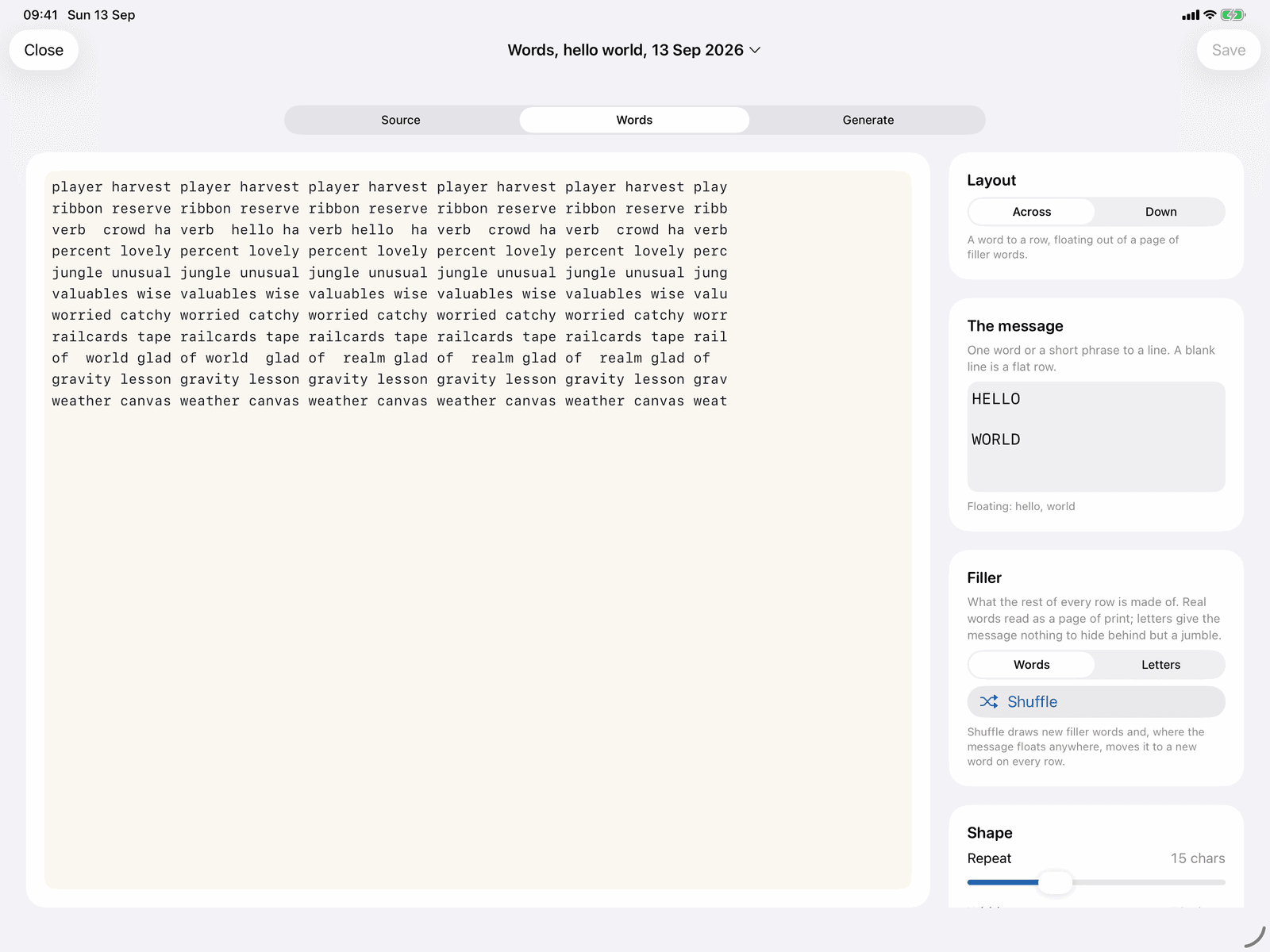
A page of ordinary typed words with a message floating out of it. Each message word is written twice on its row, the second copy nudged one character towards the first, so that word alone stands off the page while the filler stays flat. Choose whether the message reads across or down, whether the filler is words or a jumble of letters, how tight the repeat is, and the typeface, ink and paper colours.
It is the one kind that can leave the app as plain text, which is why geocachers hiding coordinates and forum posters like it.
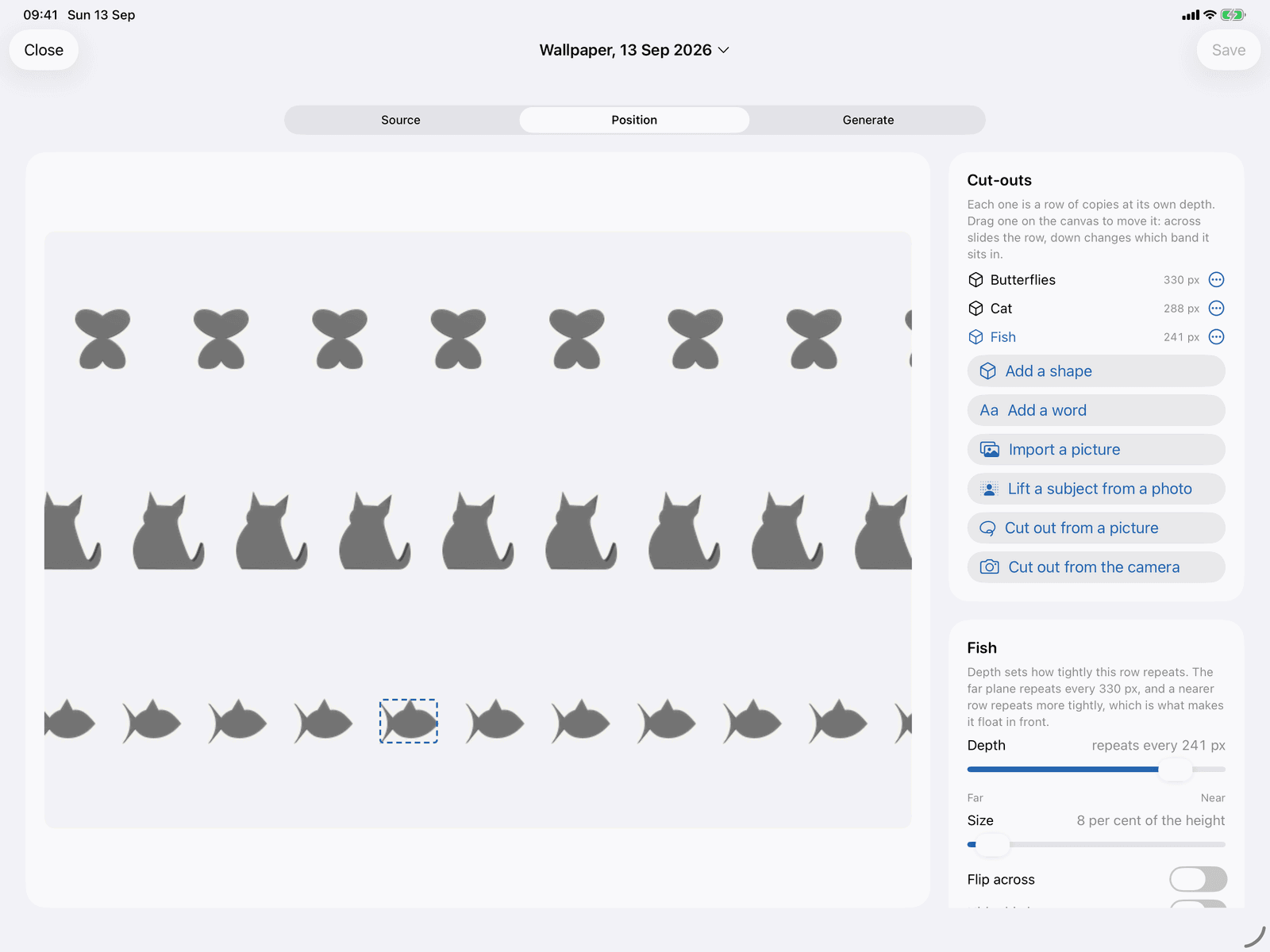
Wallpapers
The friendliest kind to start with, because nothing is hidden: you can see every shape, and the depth comes from how tightly each row of copies repeats across the page. Add a shape from the gallery, a word, a picture, or a subject lifted out of a photograph with a lasso, a magic wand, a brush or a one-tap subject lift, then give each row its depth and size.
Cut a subject out of a photograph and the app can heal the hole behind it and use the rest as the background.
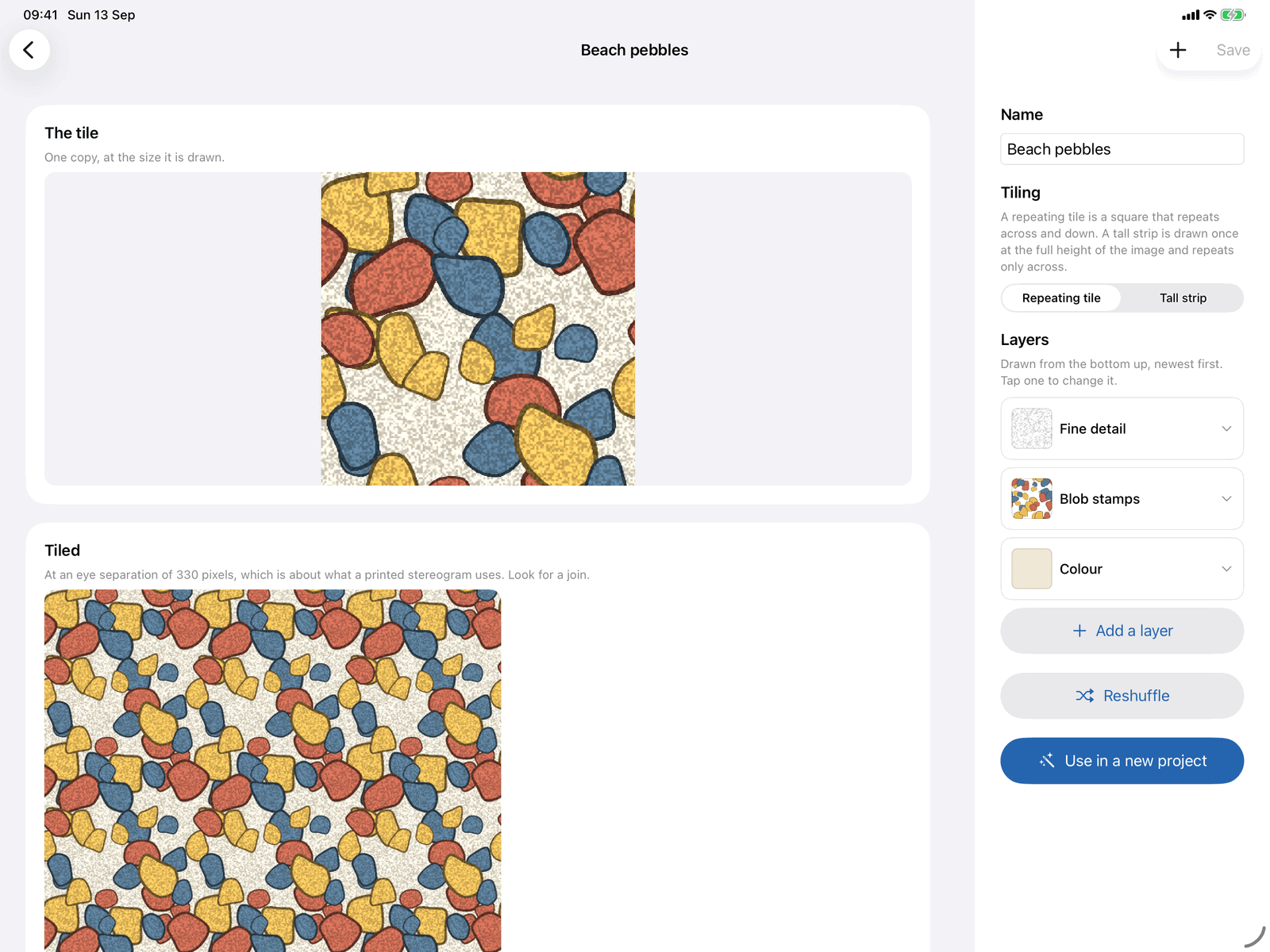
Patterns
A seamless pattern maker, built for tiles that repeat
Build your own repeating tiles out of stacked layers, every one of which wraps at the edges, so the tile repeats with no visible join. A finished tile can be used in any project or shared as a file another copy of the app can open.
- Layers of flat colour, gradients, noise, hatching, scattered stamps (circles, squares, triangles, stars, hearts, blobs, letters), scribble, any built-in tile, and a fine grain to multiply over the lot, plus painted layers and pictures
- Opacity, blur, an outline and a shadow on every layer, all measured with the wrap in mind, so a shadow thrown off one edge lands on the other
- A paint editor with brush, eraser, fill, clone stamp and shape tool, symmetry modes and Apple Pencil pressure, and strokes that wrap as you draw them
- A fusability rating with the reasoning behind it, and four starter recipes to pull apart
Book
Gather your stereograms into a print-ready PDF
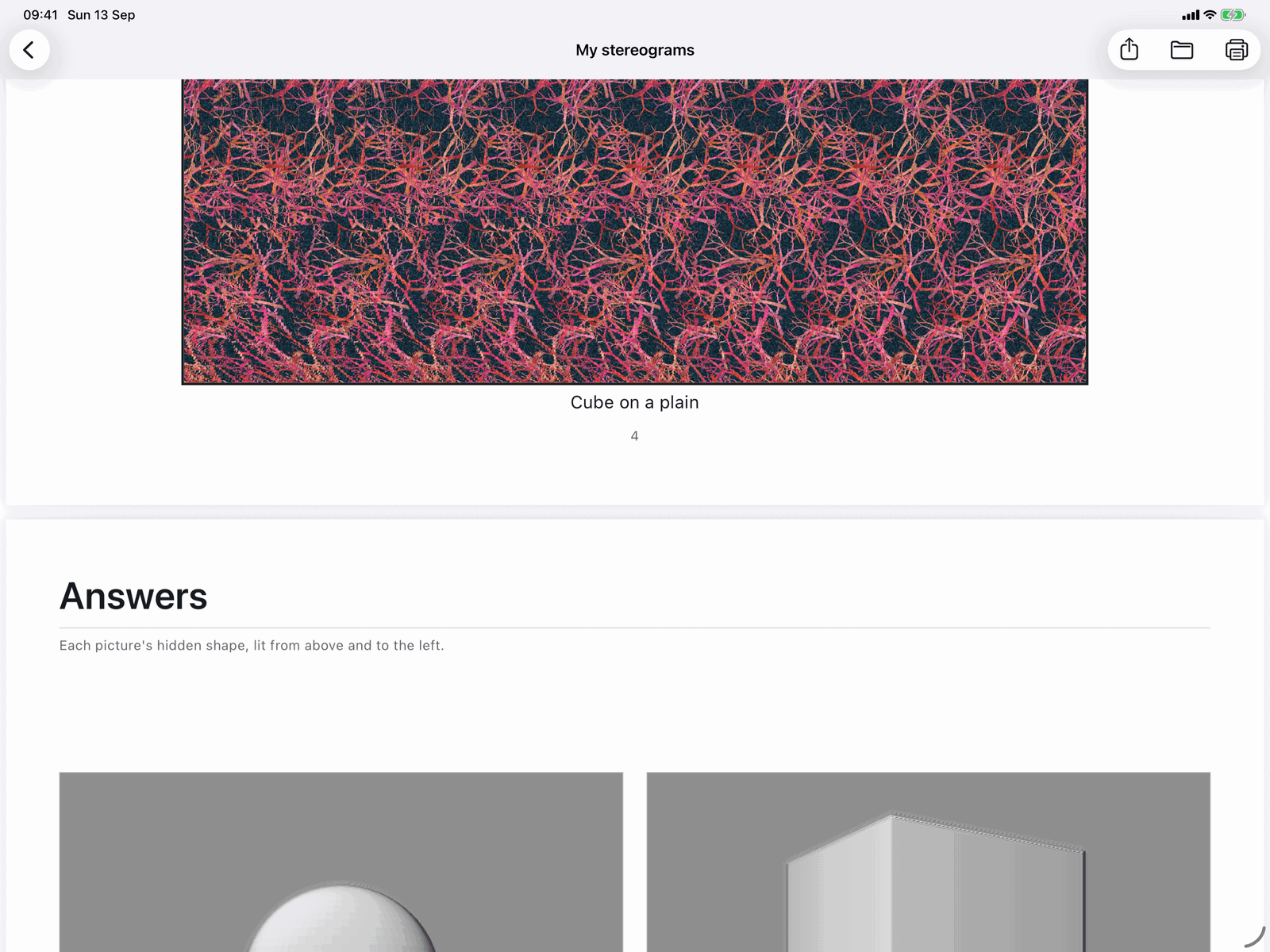
For teachers, clubs and anyone printing. Pick saved projects in the order you want them, caption each page, and choose the paper. The finished PDF can be shared, saved to Files or printed.
- A4, A3, US Letter or a square page, portrait or landscape, 150 to 600 dpi, and one or two stereograms to a page
- A title page, a how to view page, a contents page, convergence dots, page numbers and answers at the back, where each hidden shape is printed as a lit relief
- Every stereogram is redrawn from scratch at the physical page size rather than scaled up from a thumbnail, which is why a book printed from this app actually fuses
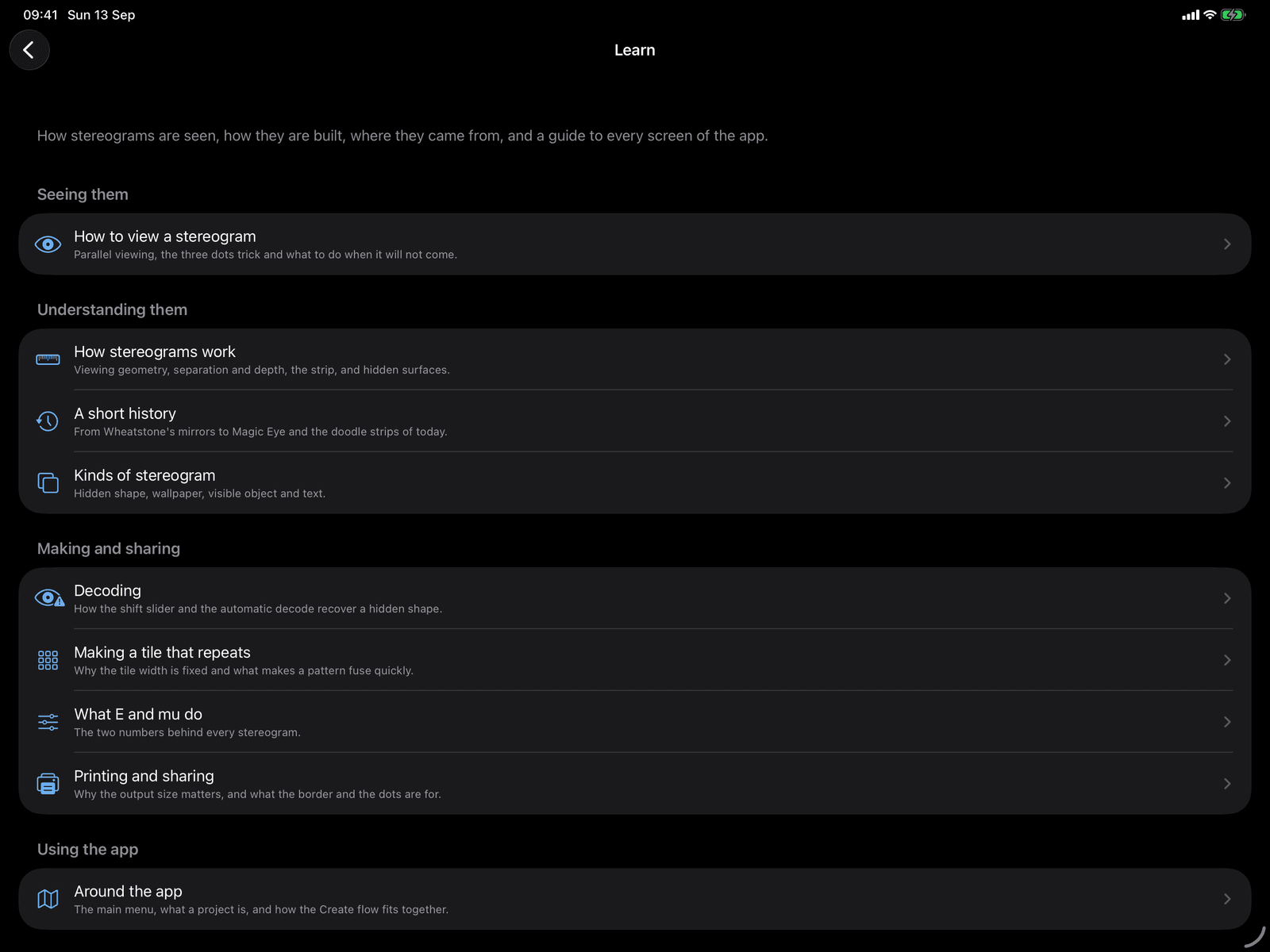
Learn
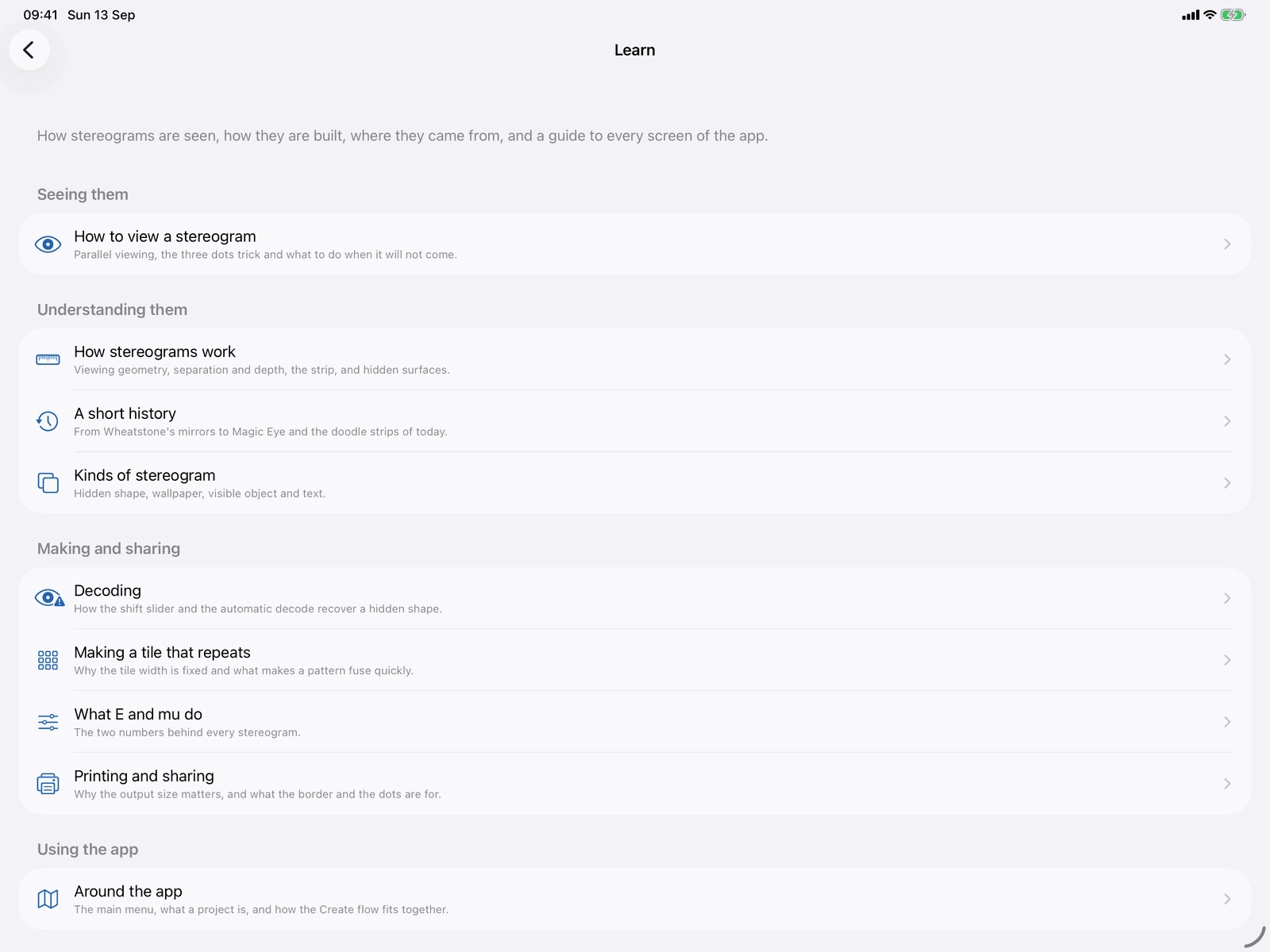
How to see one, and how one works
Twenty-one articles that teach both how to see a stereogram and what is going on behind it, plus a guide article for every screen and every step of the Create flow. It is the reason the app can be handed to a class.
- How to view a stereogram, including what to do when it will not come
- How they work, and a short history from Wheatstone’s mirrors to the Magic Eye books
- The kinds of stereogram there are, how to decode one, and how to make a tile that repeats
- What the geometry controls really do, and how to print and share so the result still fuses
The details
Little things that make it a studio
Projects are recipes
A saved project is not a flat picture. Reopen it and change the pattern, the size or the depth and draw it again. Open, animate, duplicate, rename, add to a book, export or delete from the Library shelf.
iCloud sync, if you want it
Switch it on in Settings and the project library follows you to every device, with a badge on any card still coming down. Your pattern library can sync too.
Live LiDAR capture
On iPads and iPhones with a LiDAR camera, the Source step can watch a real object become a stereogram live and freeze the frame you like. Without one, Portrait-mode depth still works from a photo.
Seven 3D formats
OBJ, STL, PLY, USDZ, FBX, glTF and GLB, including animated glTF, GLB and USDZ, which can be imported as moving parts for the animator.
Files you can hand to a friend
A .stereogram file is a whole project, shareable between devices and people. A .stereotile is one of your pattern recipes. Another copy of the app opens either.
Every way out
PNG, JPEG and HEIC pictures with an optional border and convergence dots, H.264 MP4 video, sprite sheet PNG with a JSON sidecar, PDF books, and word stereograms as plain text.
Straight answers
What it does not do
Four things worth knowing before you download, said plainly here because the app says them plainly too.
Naked eye only
Stereogram Studio makes single-image stereograms, also called autostereograms, which are viewed with no glasses at all. It does not make anaglyphs for red and cyan glasses, side by side or cross-eyed pairs, lenticular prints, or anything for a headset.
A decode is a relief
Reverse Engineer gives back a greyscale relief of the hidden shape and nothing else. The colour, the texture and the pattern are gone for good. That is a limit of the mathematics, not of the app, and the app says so on the screen.
Live capture needs LiDAR
Watching a real object become a stereogram live needs a LiDAR camera, and the app says so plainly on devices without one. Portrait-mode photographs carry depth on many more devices and work as a source everywhere.
Not everyone can see them
Stereograms are a pastime, not a treatment, and some people cannot fuse them at all. The Learn section covers parallel viewing, the three dots trick and what to do when it will not come.
Private by architecture
No accounts, no server, no tracking
Not a promise buried in a policy: a consequence of how the app is built.
Everything on device
Generating, decoding, animating and printing all happen on your iPad or iPhone. There is no server of ours, and the app works with no internet connection at all.
No accounts, no tracking, no ads
Nothing to sign up for, no analytics, no advertising. The app collects no data. The one purchase it offers is handled entirely by Apple.
The camera, only when you ask
Three uses, each explained in the app: photographing a printed stereogram to decode it, photographing something to cut out, and live LiDAR depth capture. It never runs otherwise.
iCloud is yours
Sync is optional and goes through your own iCloud Drive, under your own Apple Account. We cannot see it, and switching it off keeps everything on the device.
The details, in full: Stereogram Studio Privacy Policy
Pricing
Make for free. Pay once to take it out.
Making stereograms is free, and so is the whole of Reverse Engineer including its exports. One purchase, Export Unlock, covers taking your own work out of the app.
Free
Make and decode
- The whole Create flow: all nineteen shapes, all thirty-nine patterns, every source, every size
- The whole of Reverse Engineer, exports included, with no watermark
- The pattern maker, the animator, the book builder and the Learn section
- Until you unlock, the two large on-screen views of a generated picture carry a faint diagonal watermark. It is drawn on the view only
Export Unlock
One purchase
- A single purchase, not a subscription. Restores on any device signed in to the same Apple Account
- Pictures, videos and sprite sheets, books (sharing, saving or printing the PDF), project and pattern files, and word stereograms as text
- The on-screen watermark goes straight away. It never touched the stored file, the thumbnails or anything exported, so every export is clean
A page of pattern. A shape inside it.
Made by you, on the device in your hand.
Requires iOS 18 or later. iPad and iPhone. No accounts, no advertising, no subscription. Built by PDS Technology in the UK.
Questions? Get in touch